Split the building costs
On the last day of the month, close and split Building costs. Everyone who shares them pays an equal part. Then send the bills from Billing.
- Tap Billing at the bottom of the screen.
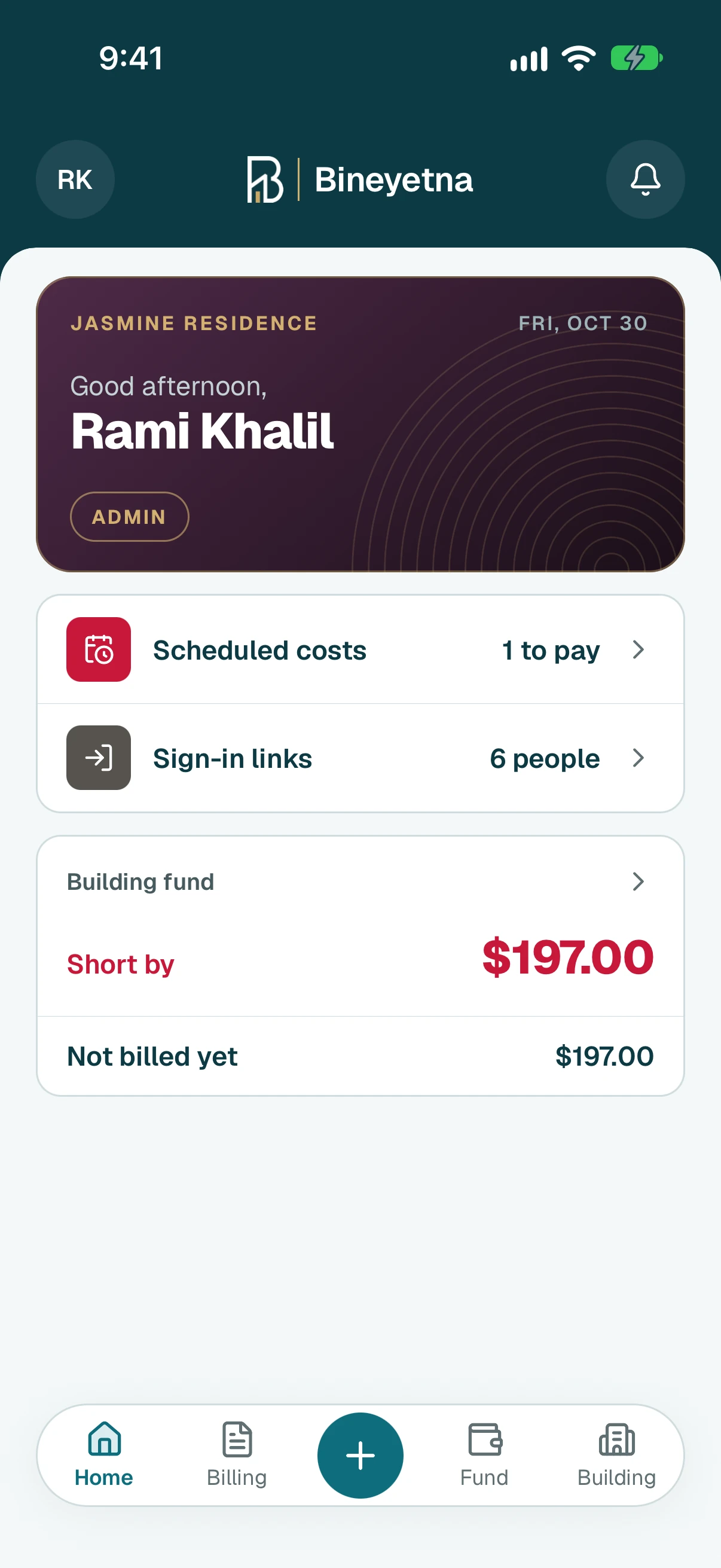
- Find Building costs marked Still running and tap it.
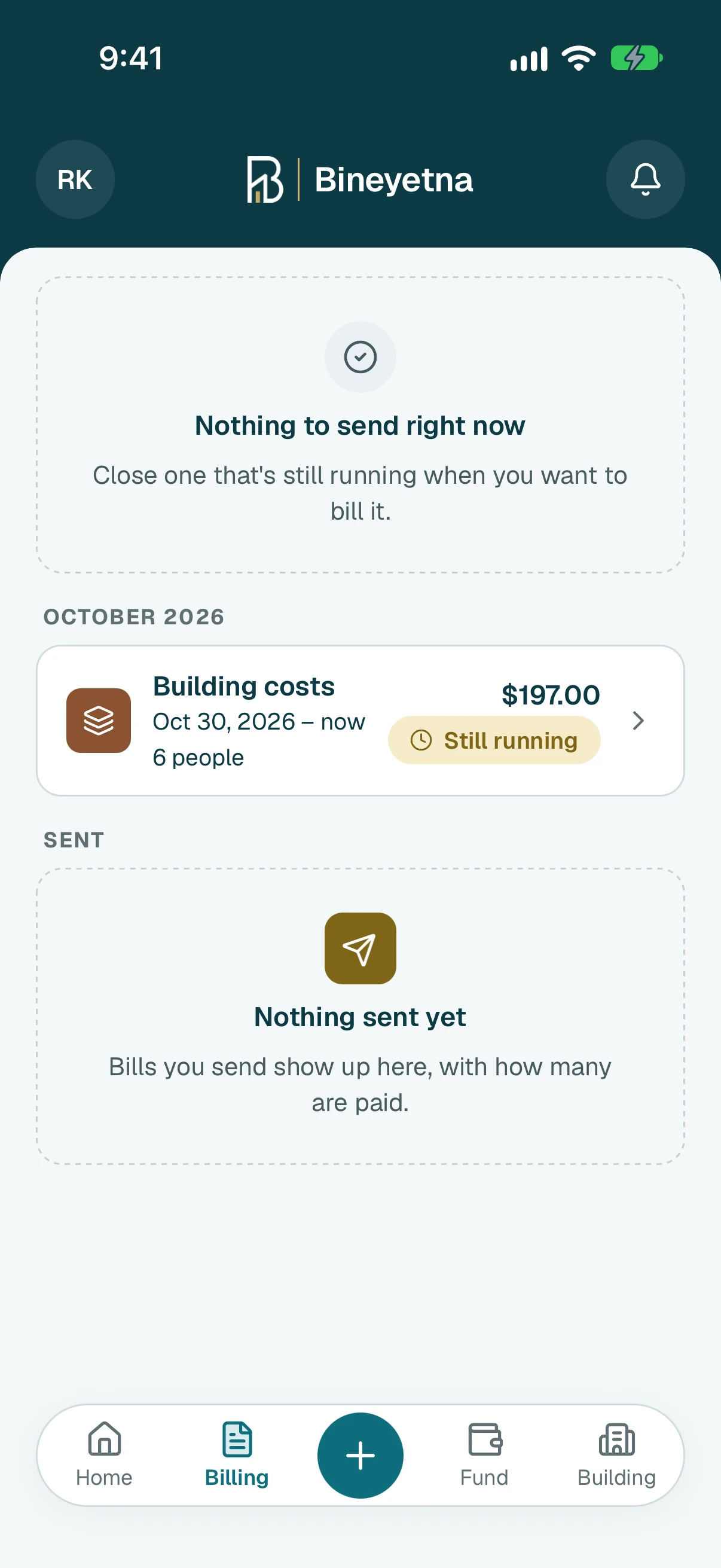
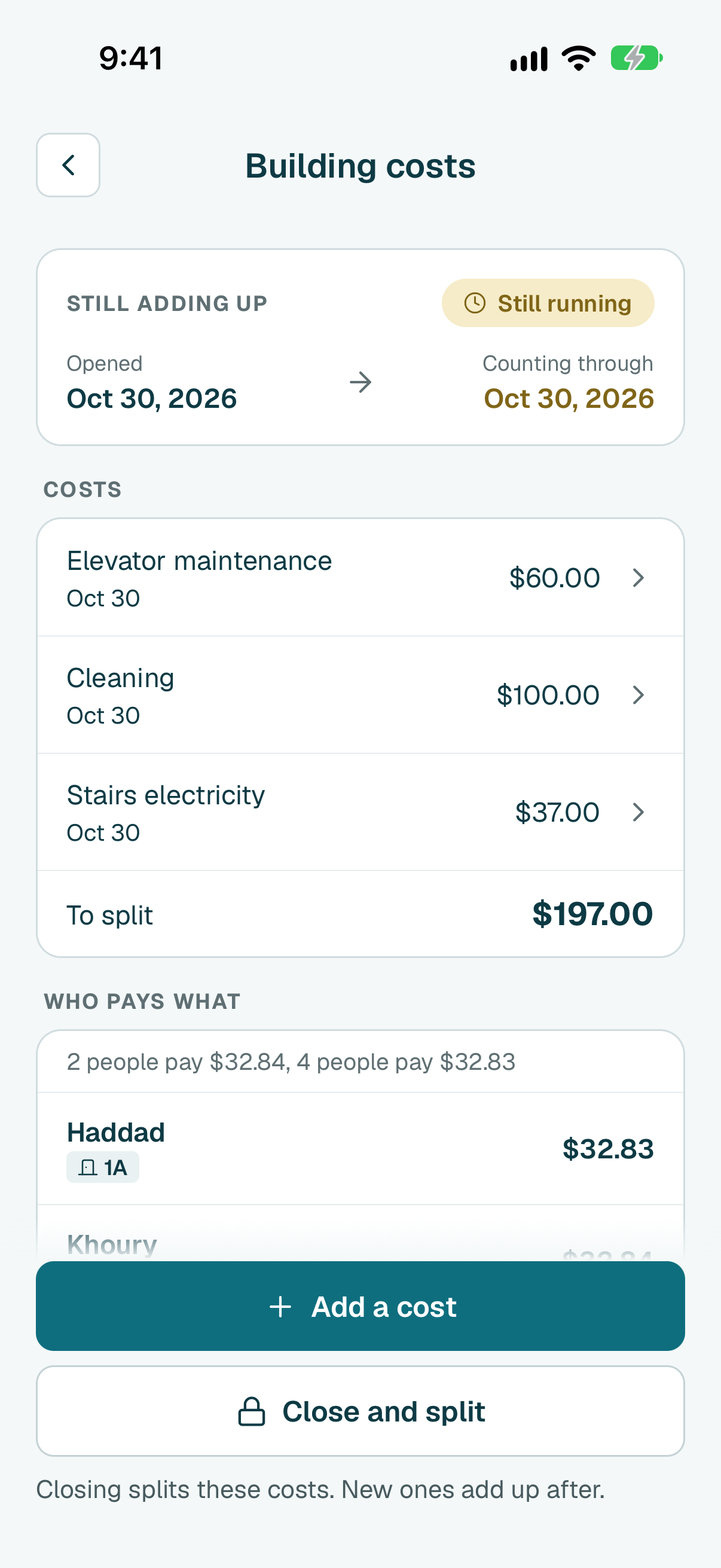
- Under Costs you see each cost added since the last close, and the total To split.
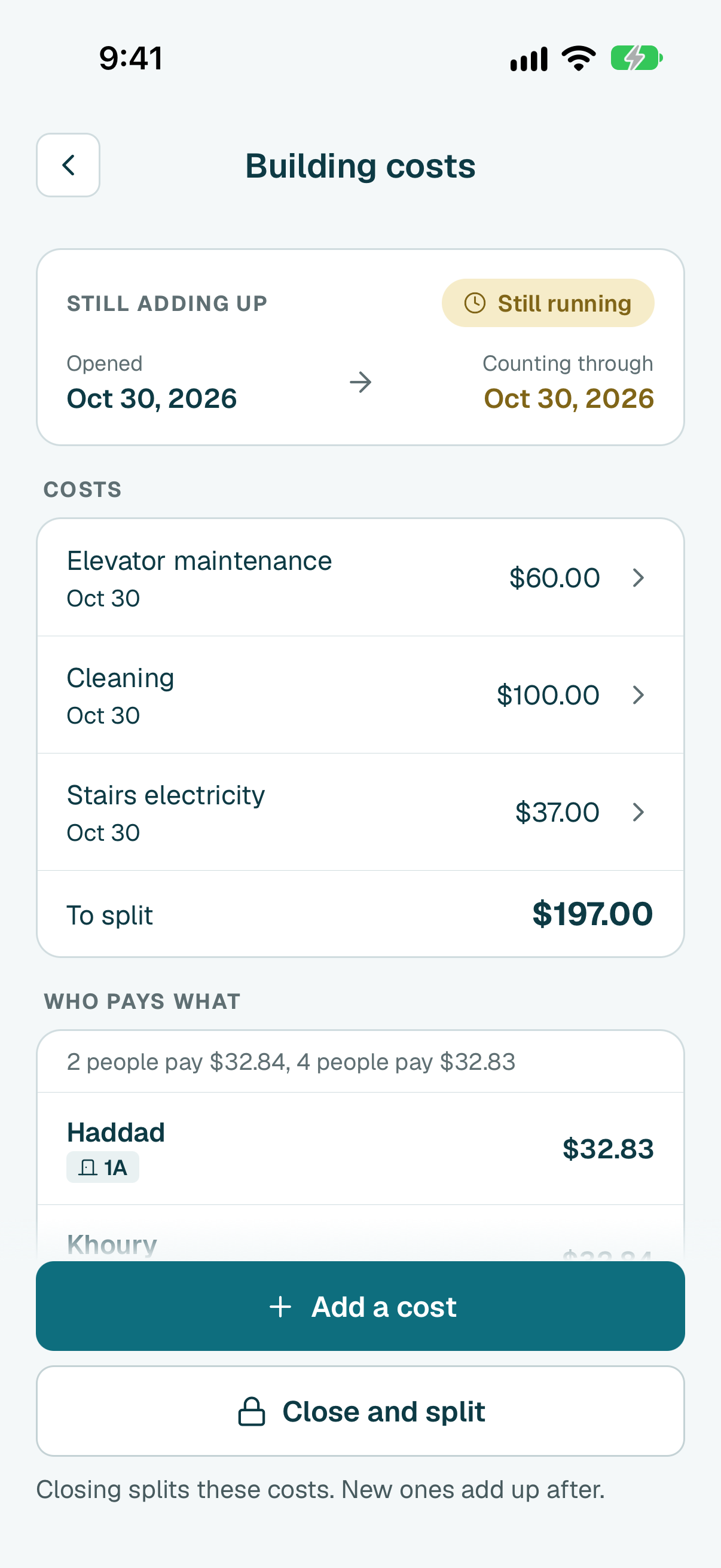
Under Who pays what, check each person's share. Everyone ticked on Building costs pays an equal part. If it does not divide exactly, some pay one cent more.
Tip
Someone should not share it? Tap Change who shares it before you send.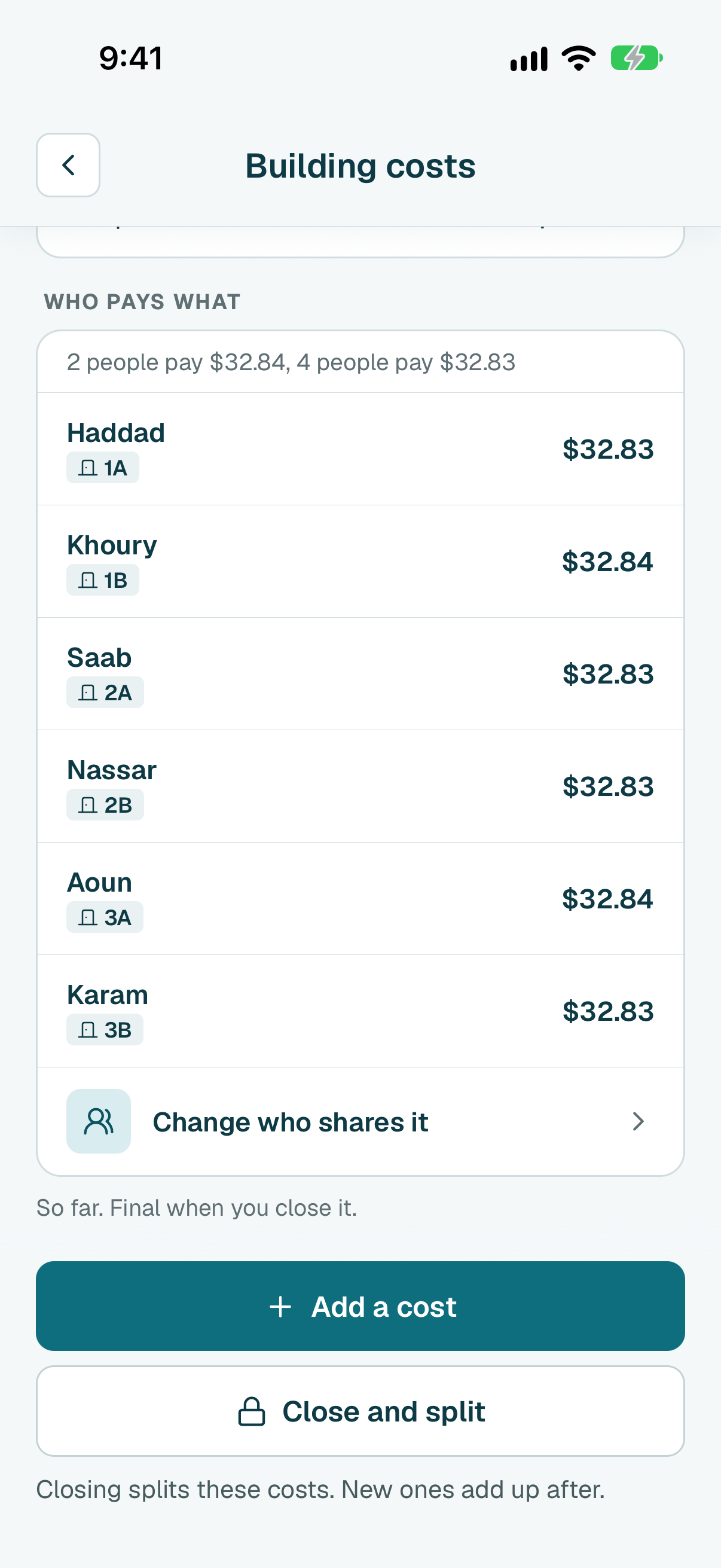
On the last day of the month, tap Close and split at the bottom of the screen, then Close and split again to confirm.
Tip
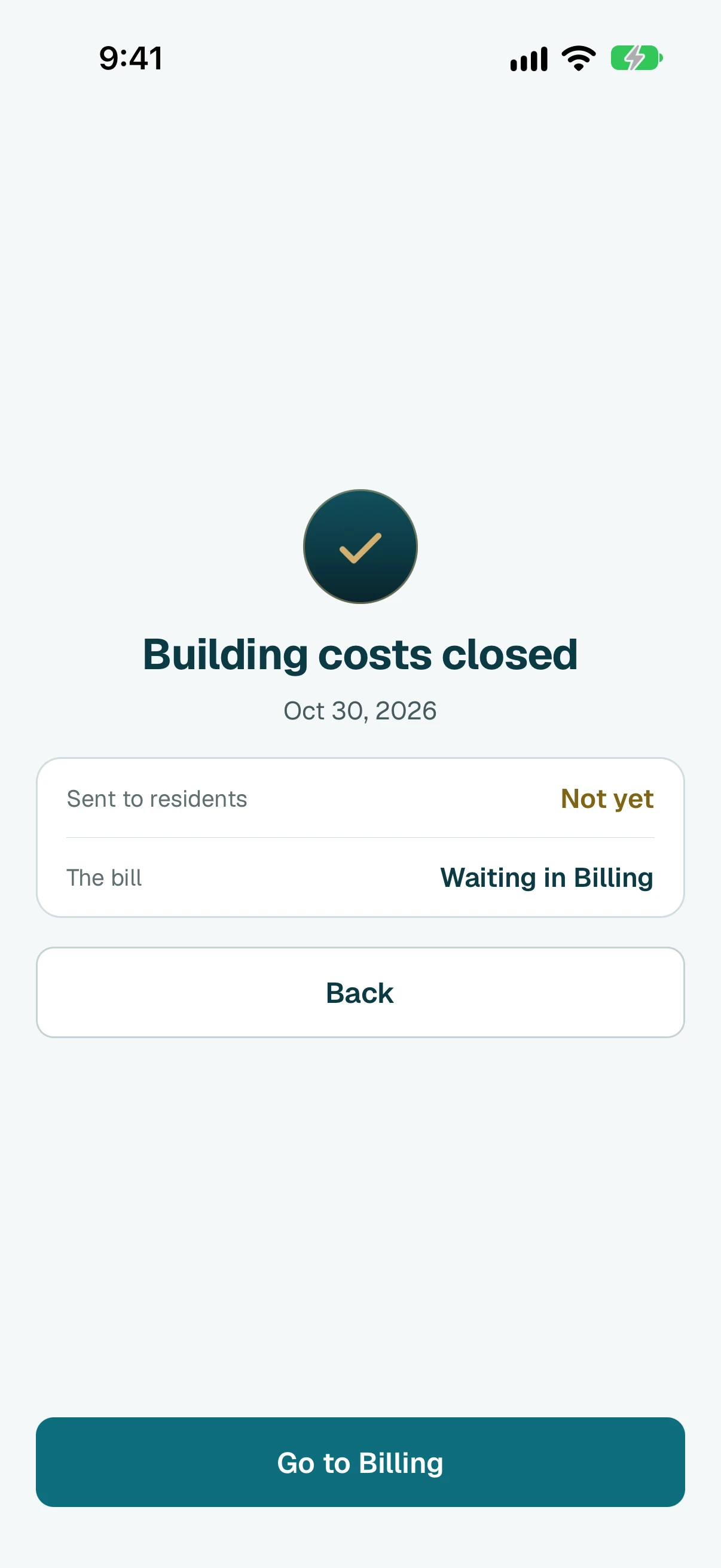
The bill goes under the month you close it in. A cost added after closing is split next time.
- Nothing is sent yet. Tap Go to Billing.
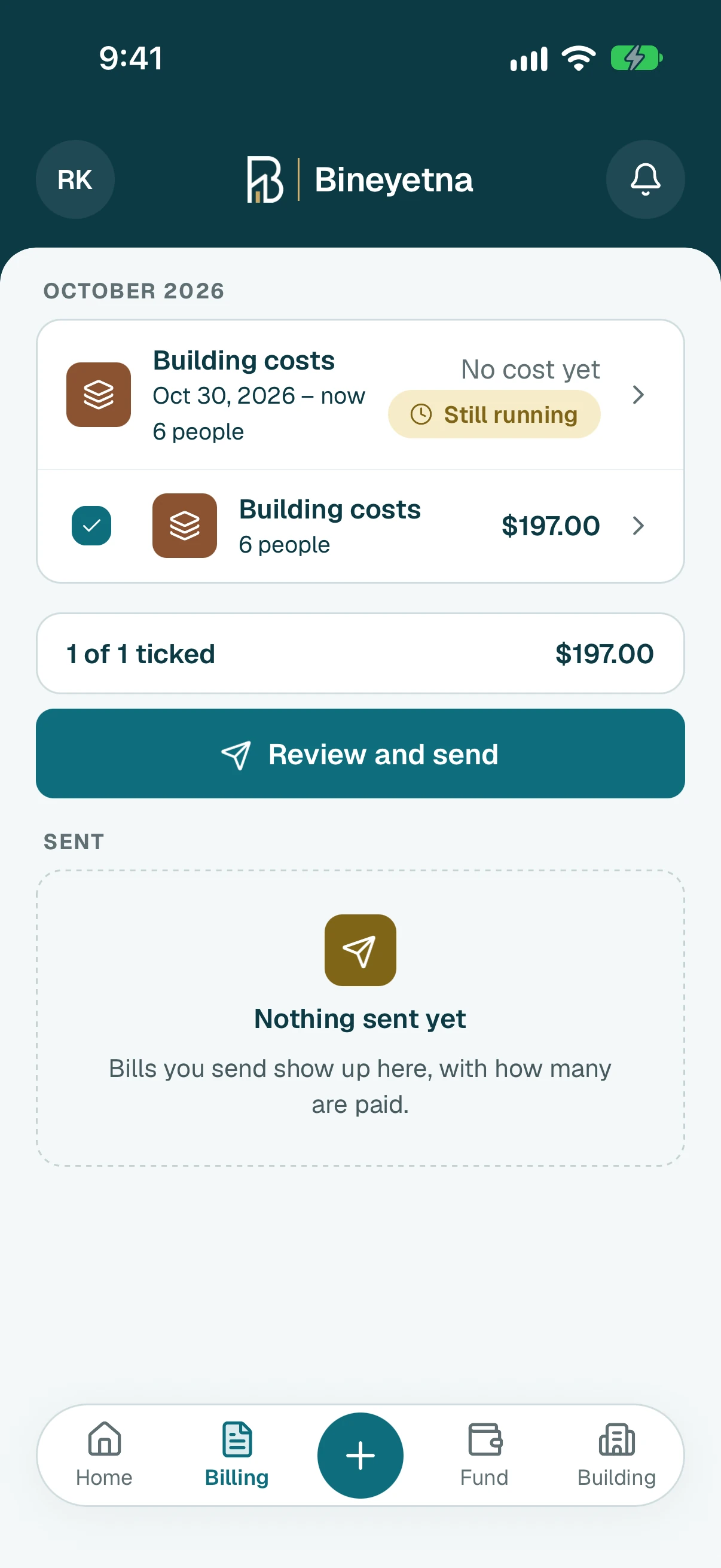
Check that Building costs is under Ready to send, then tap Review and send.
Tip
Everything under it goes out together. To keep a charge for a later send, untick it when you review.
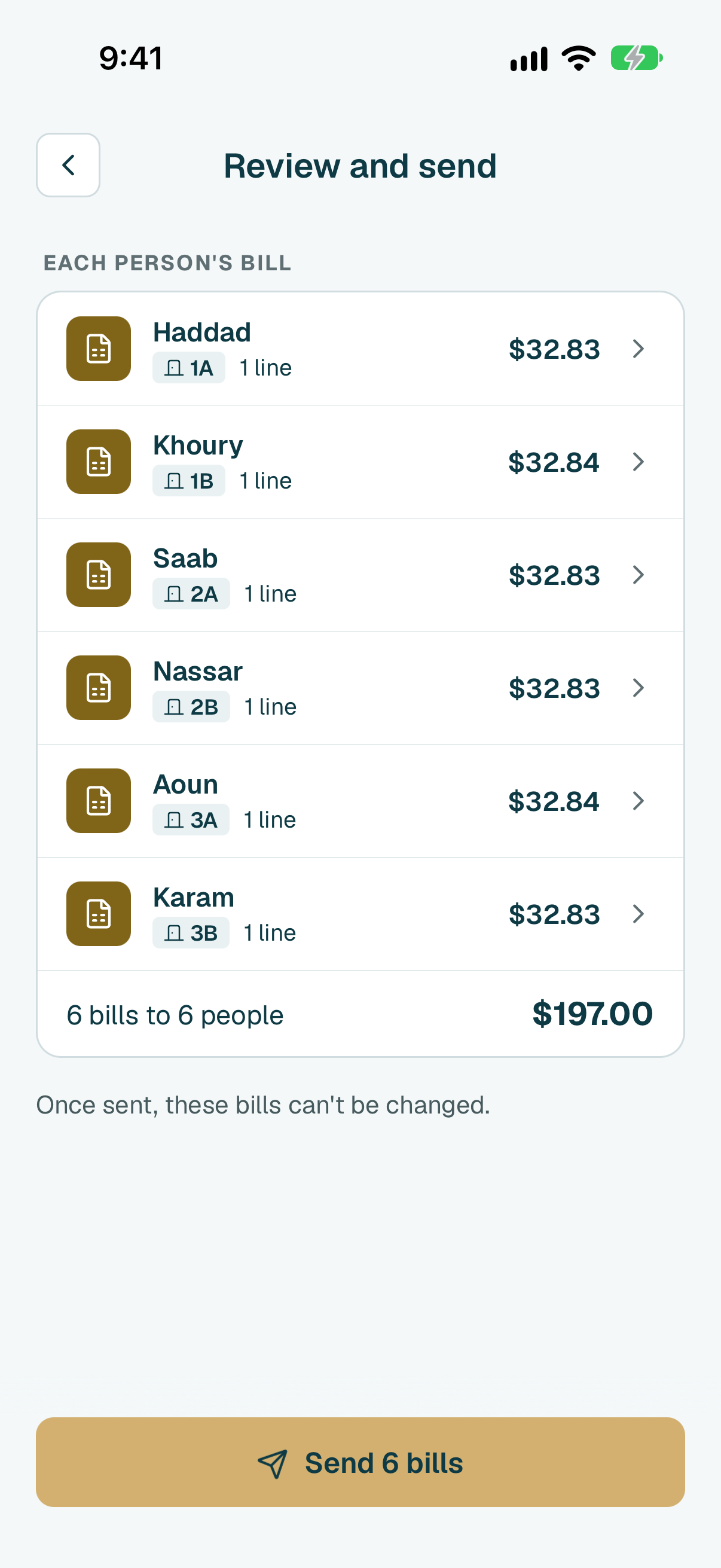
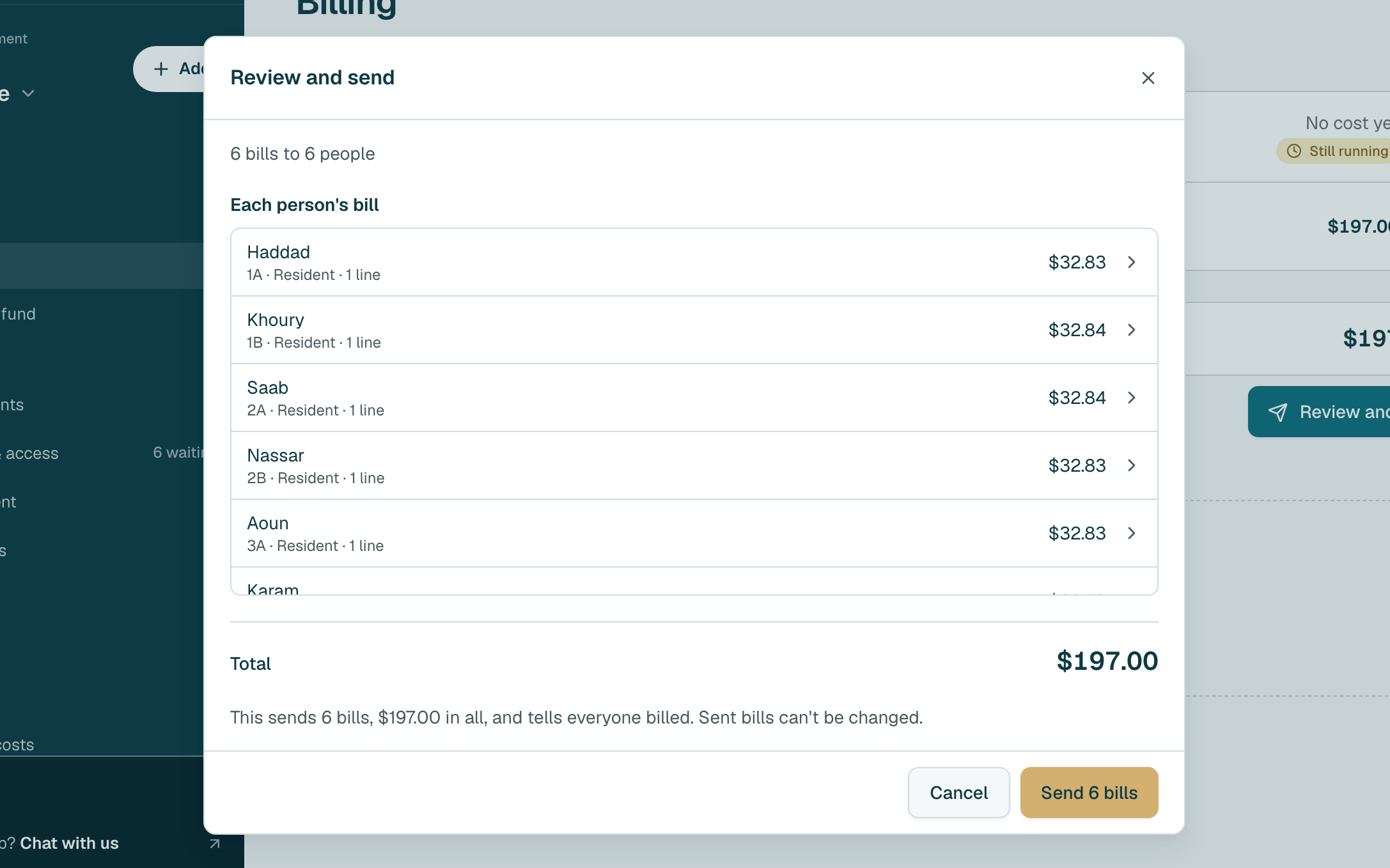
- Check each person's bill and the total, then tap the send button at the bottom. Sent bills can't be changed.
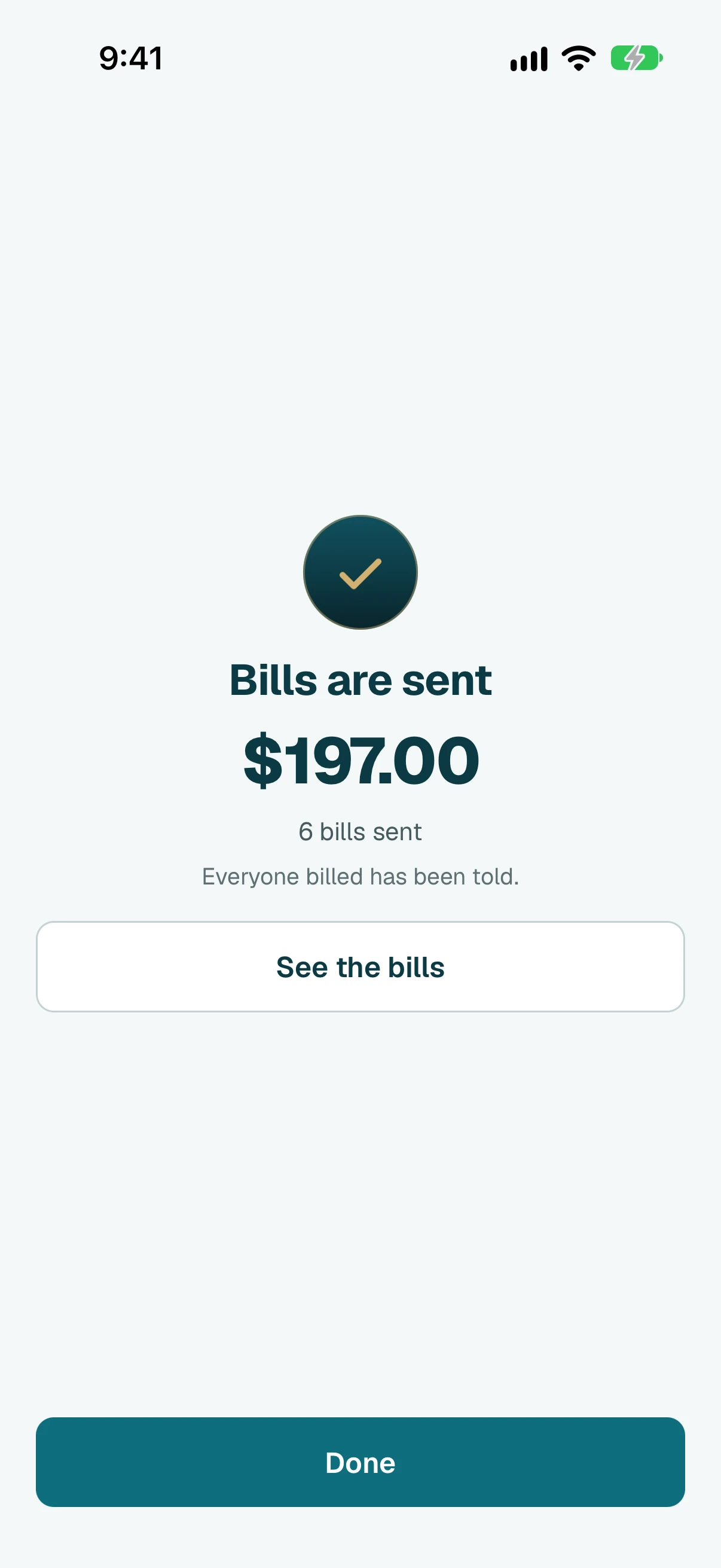
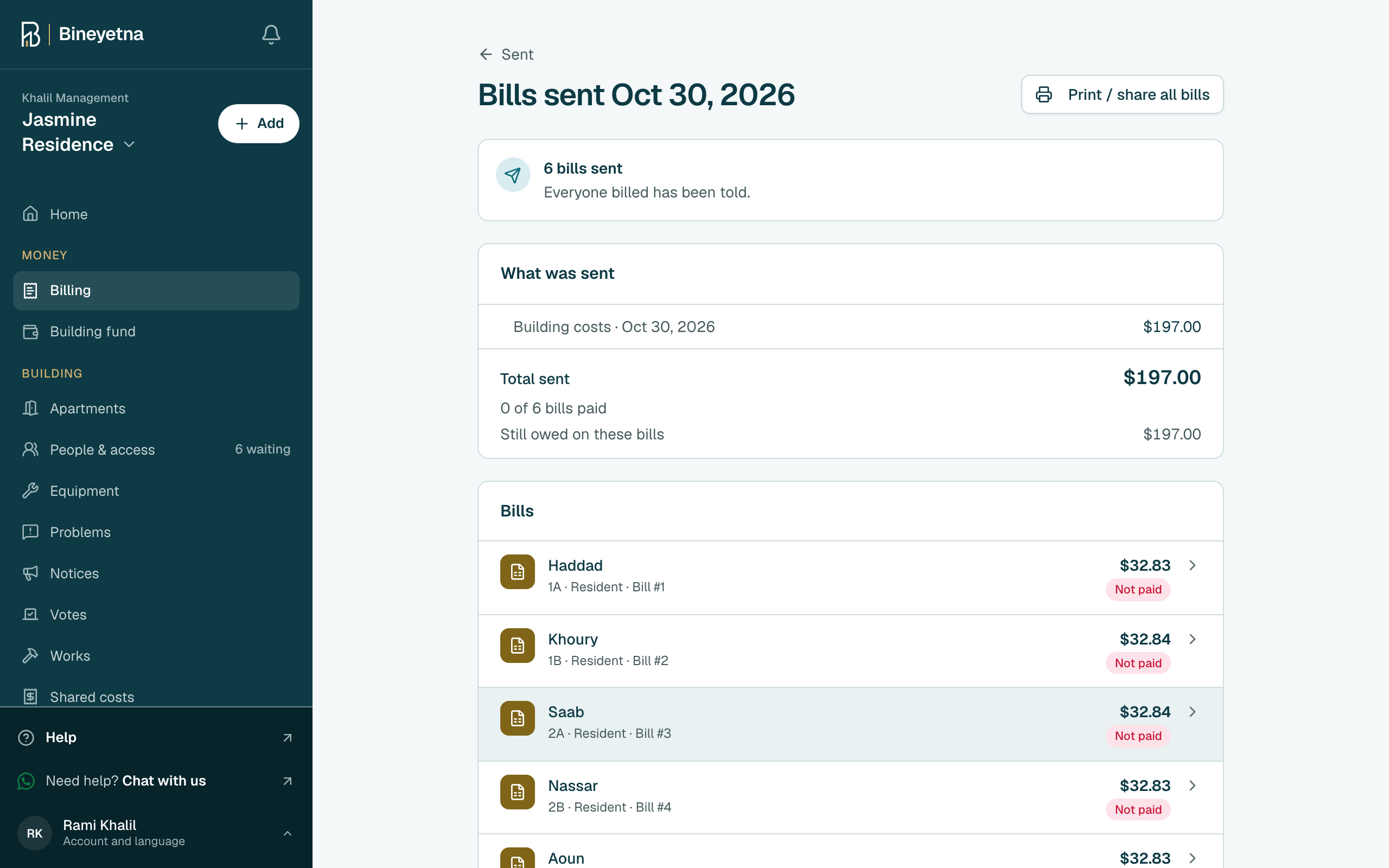
- Done. People on the app are told. Tap Share all bills to share them with the rest.
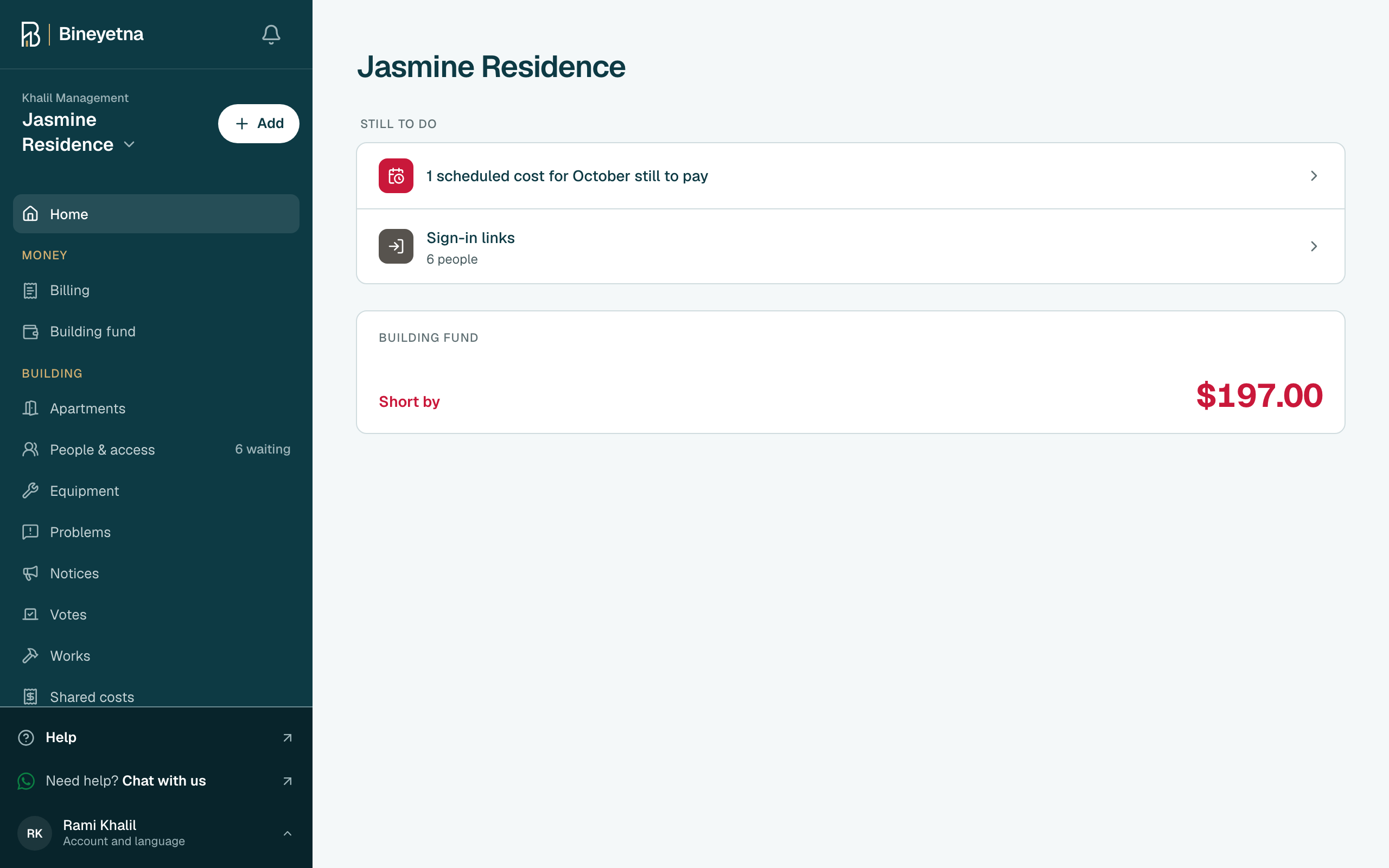
- Click Billing in the side menu.
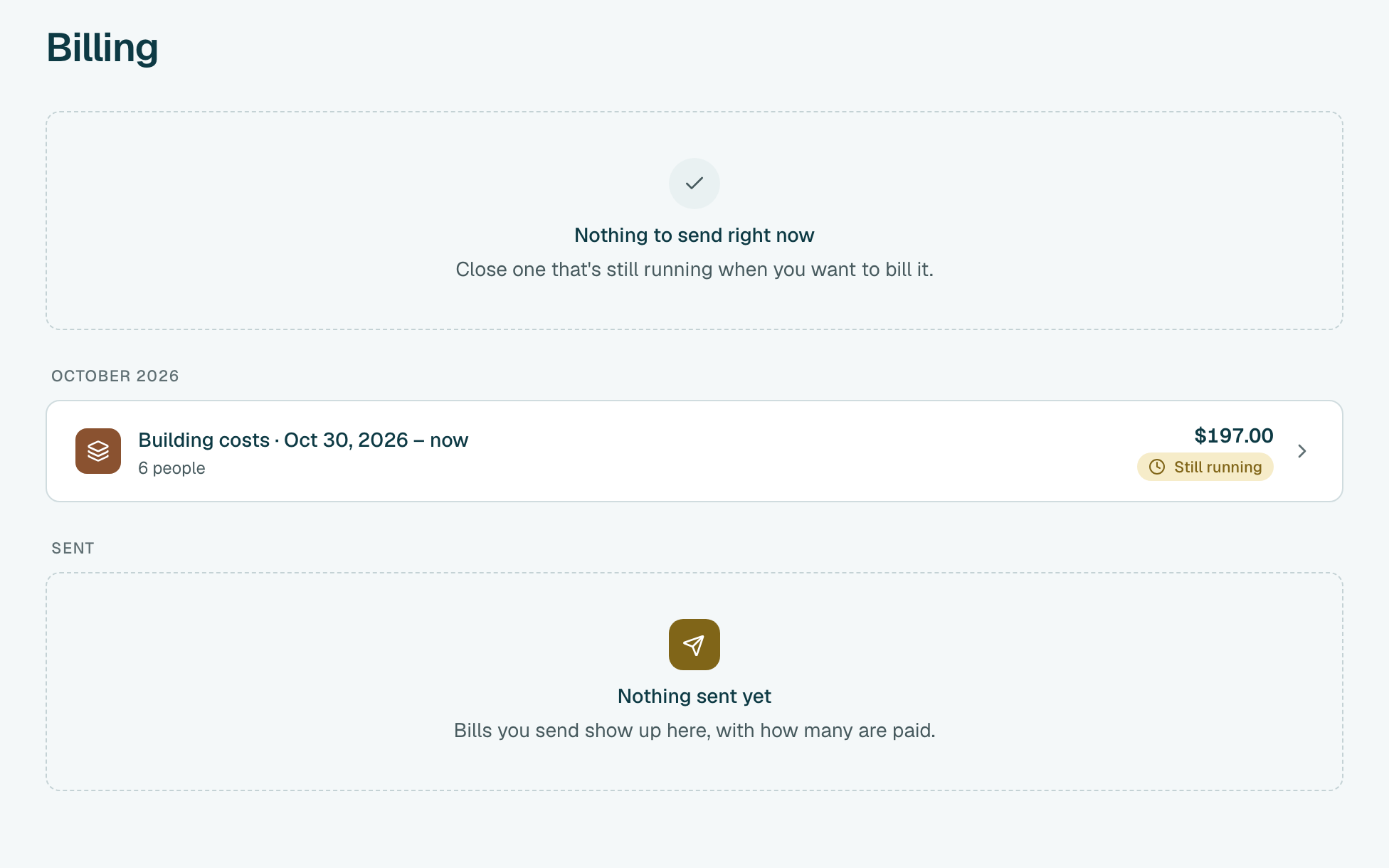
- Find Building costs marked Still running and click it.
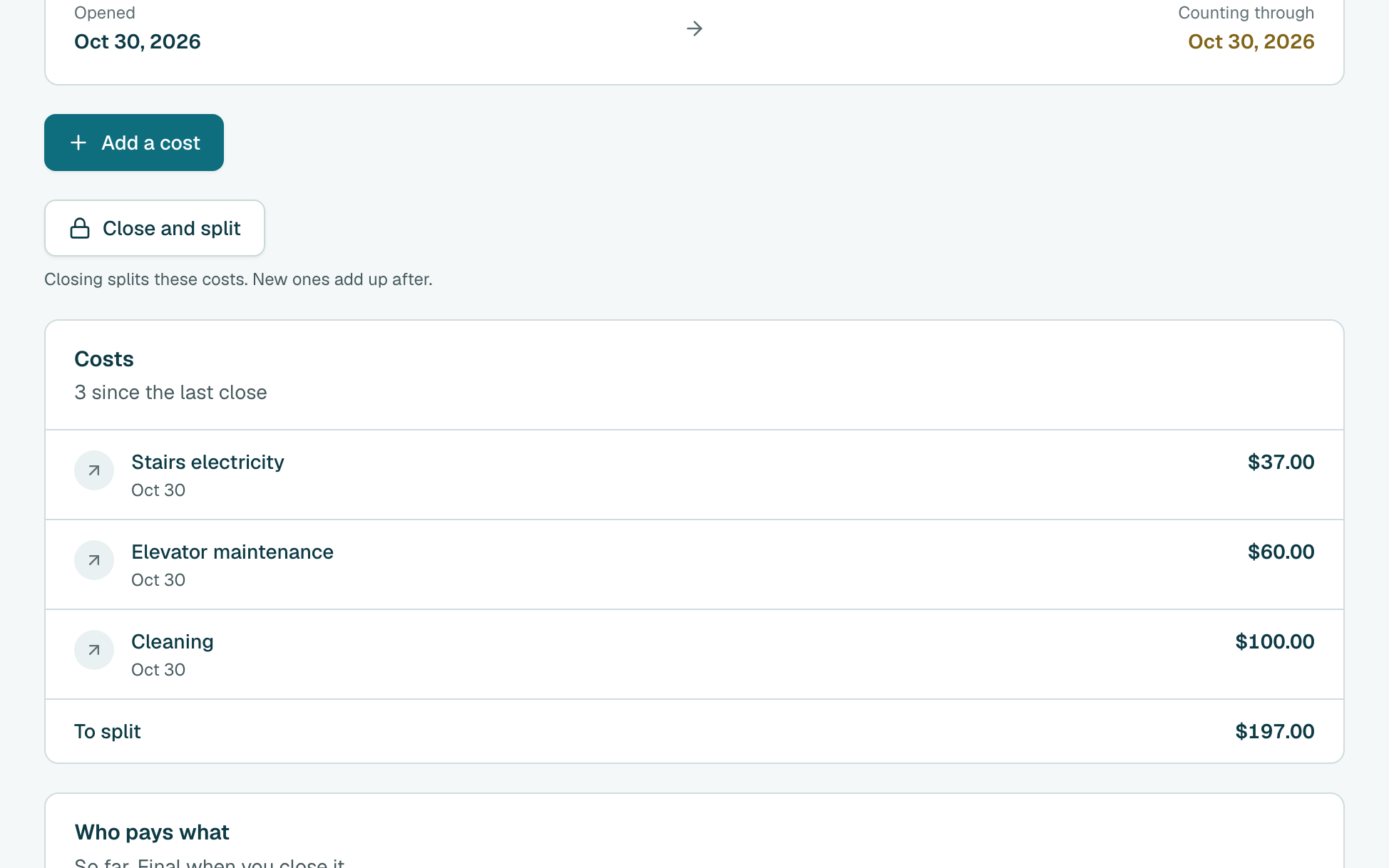
- Scroll down. Under Costs you see each cost added since the last close, and the total To split.
Under Who pays what, check each person's share. Everyone ticked on Building costs pays an equal part. If it does not divide exactly, some pay one cent more.
Tip
Someone should not share it? Click Change who shares it before you send.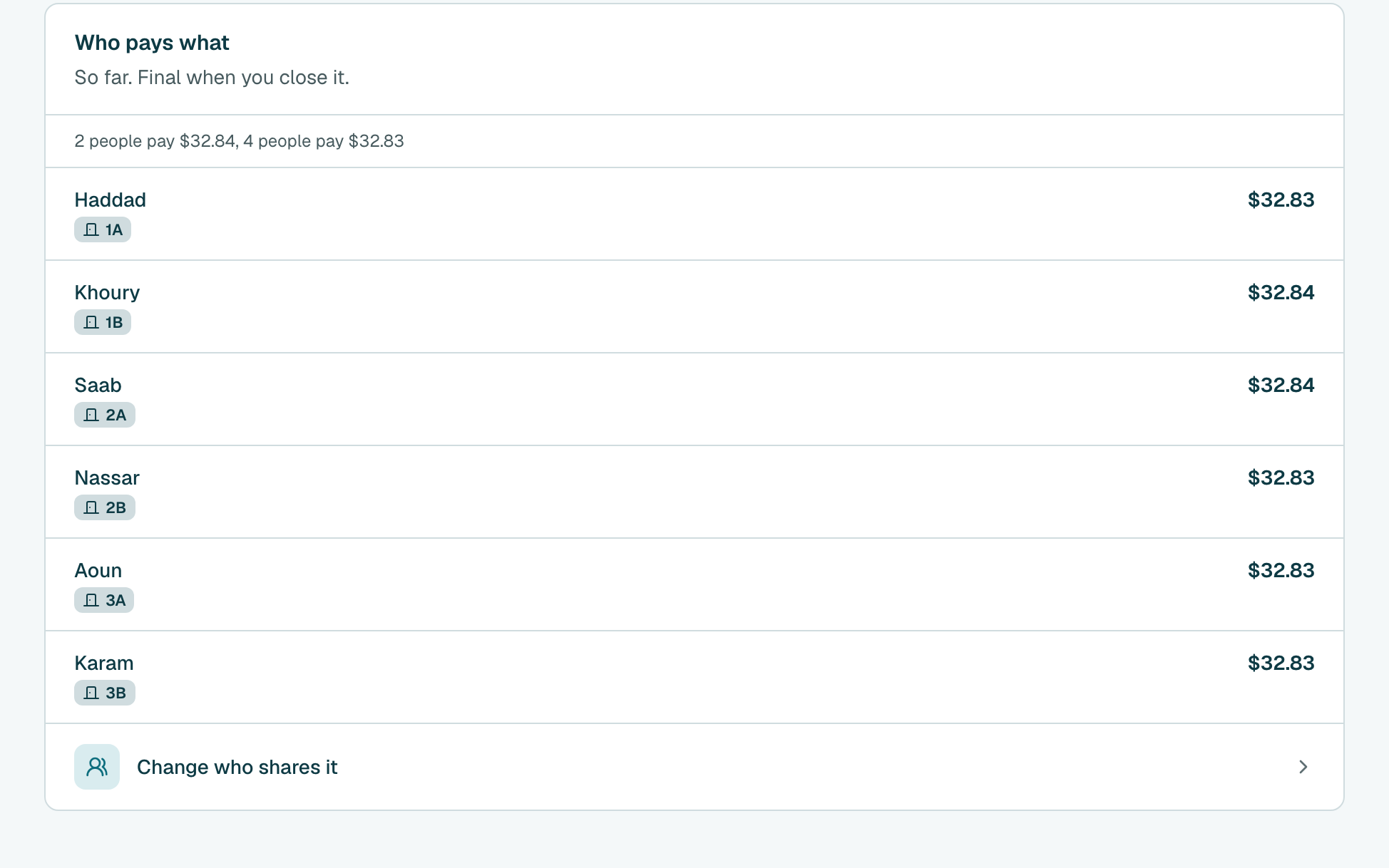
Scroll back up. On the last day of the month, click Close and split, then Close and split again to confirm.
Tip
The bill goes under the month you close it in. A cost added after closing is split next time.
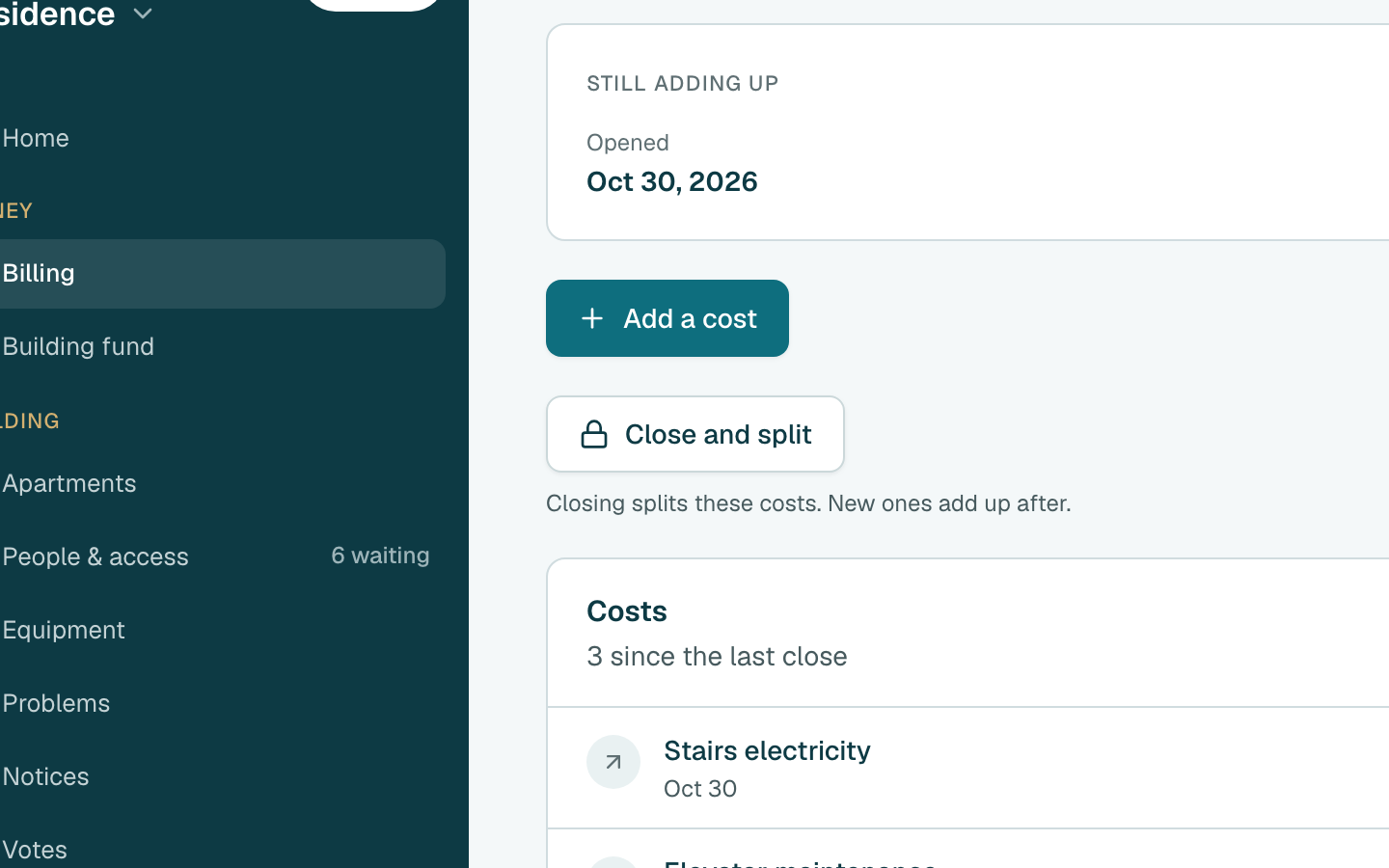
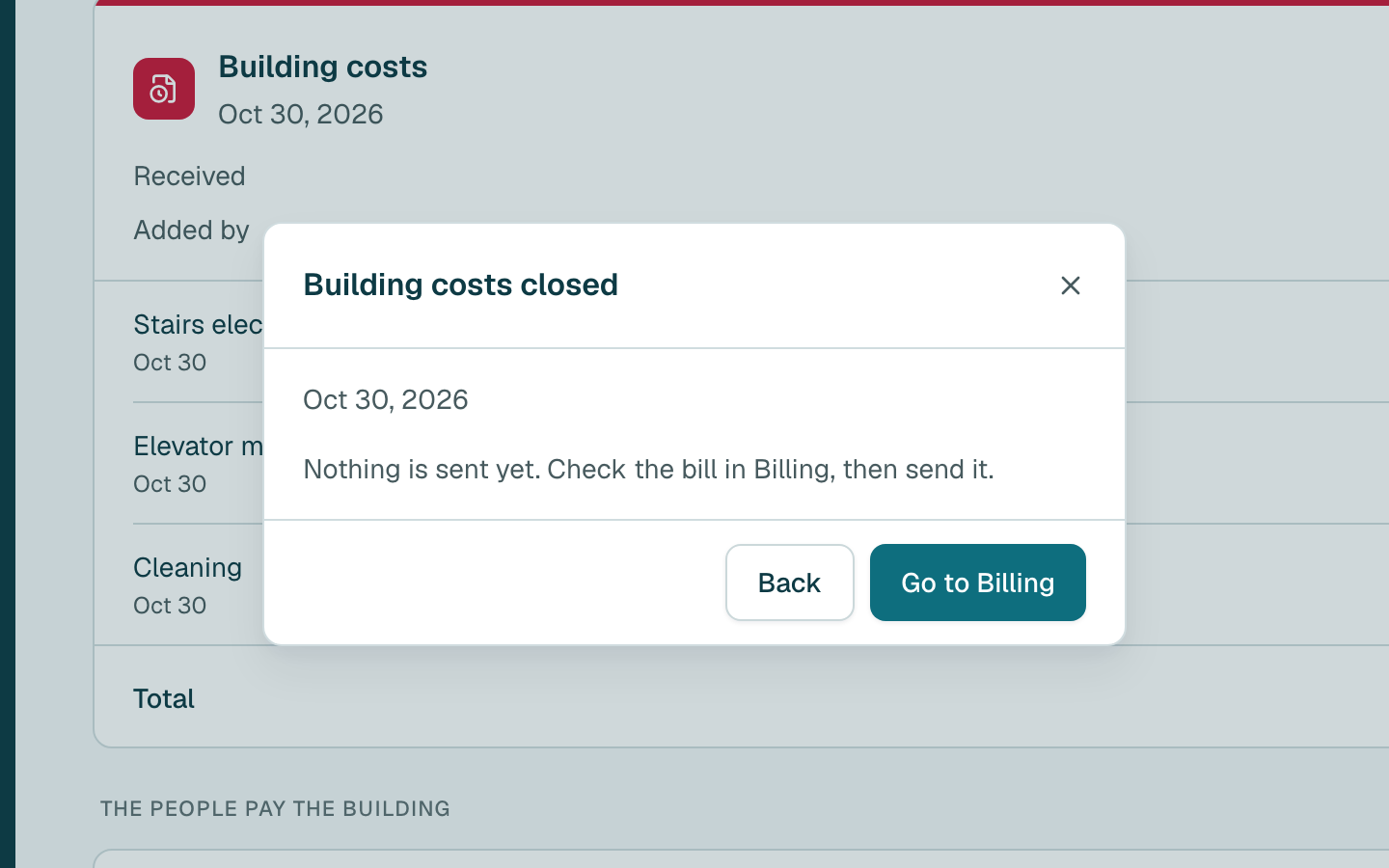
- Nothing is sent yet. Click Go to Billing.
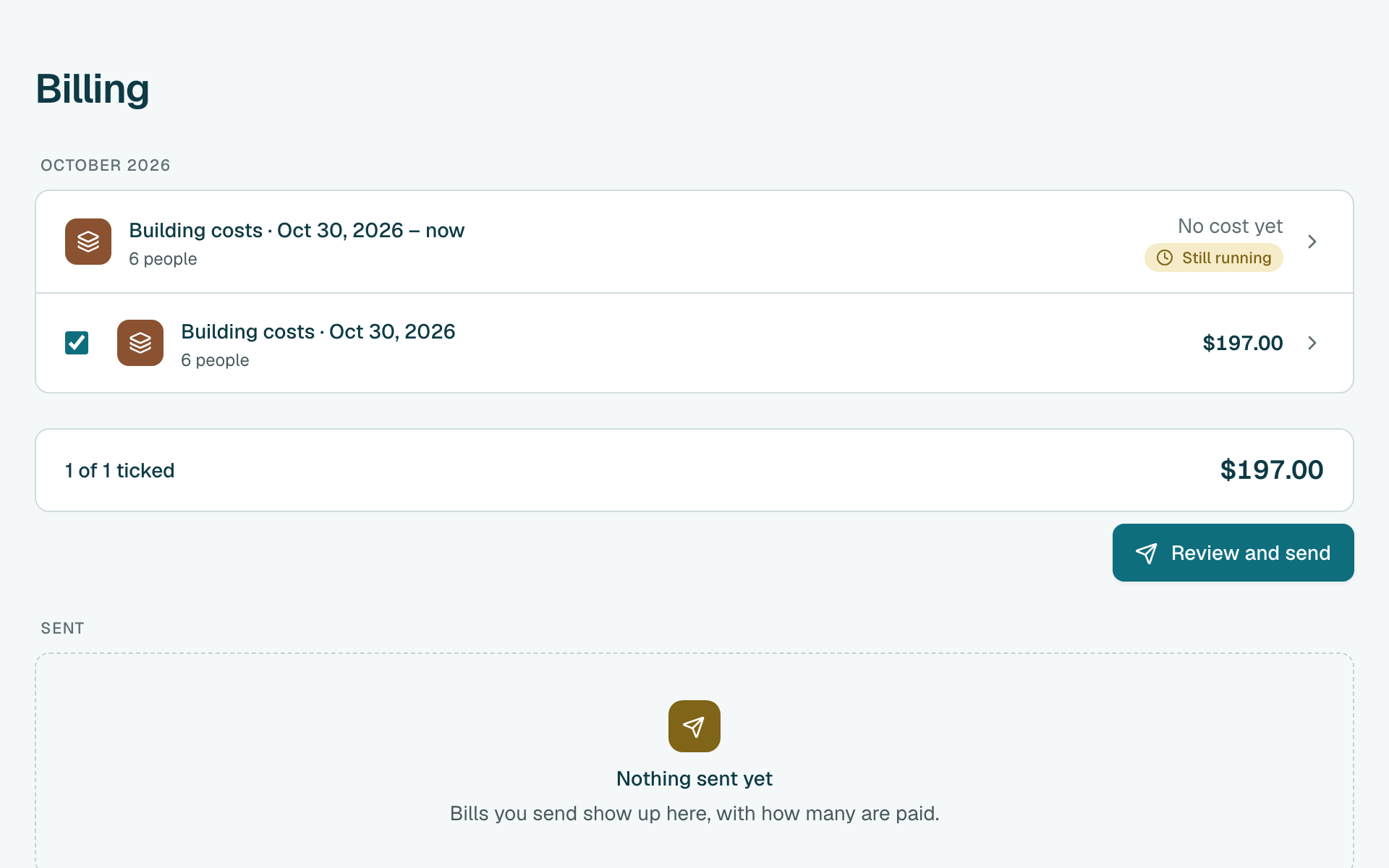
Check that Building costs is under Ready to send, then click Review and send.
Tip
Everything under it goes out together. To keep a charge for a later send, untick it when you review.
- Check each person's bill and the total, then click the send button. Sent bills can't be changed.
- Done. People on the app are told. Click Print / share all bills to print the bills or share them.
Still stuck?
Message us on WhatsApp and we will walk you through it.