Send someone their sign-in link
When a resident or an owner can't sign in yet, send them their link on WhatsApp. They tap it and choose their own password.
Where are you doing it?
- Tap Building at the bottom of the screen.
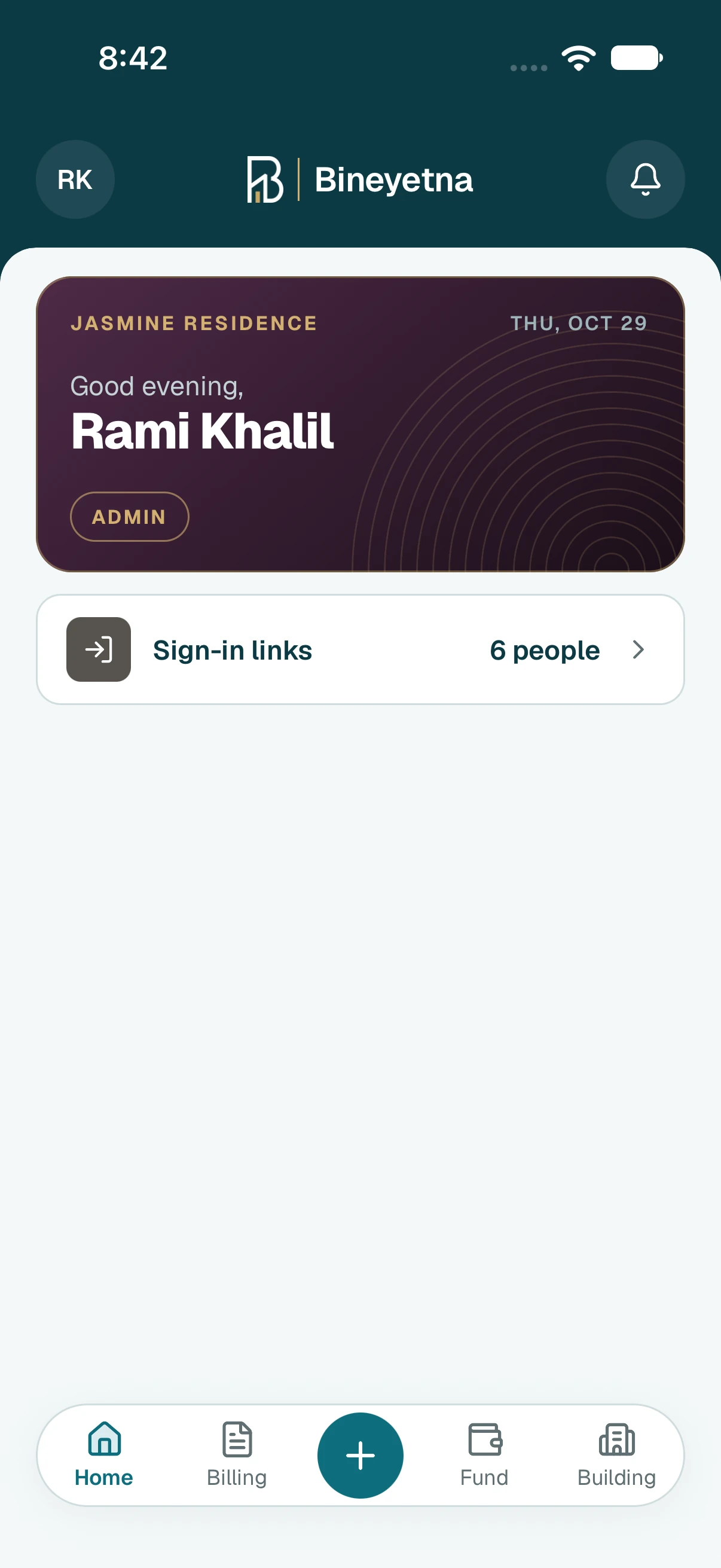
- Tap People.
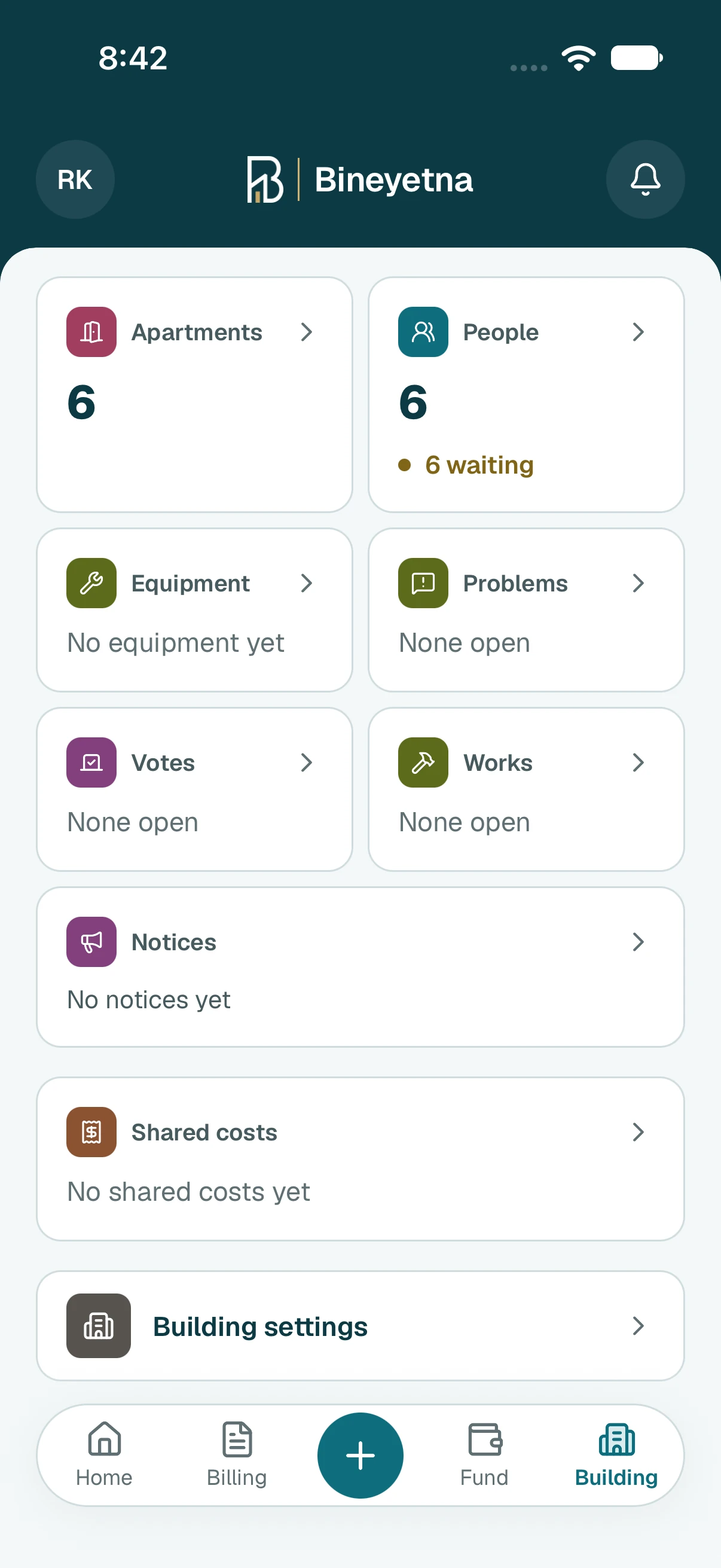
- Tap Sign-in links. Everyone who can't sign in yet is on this list.
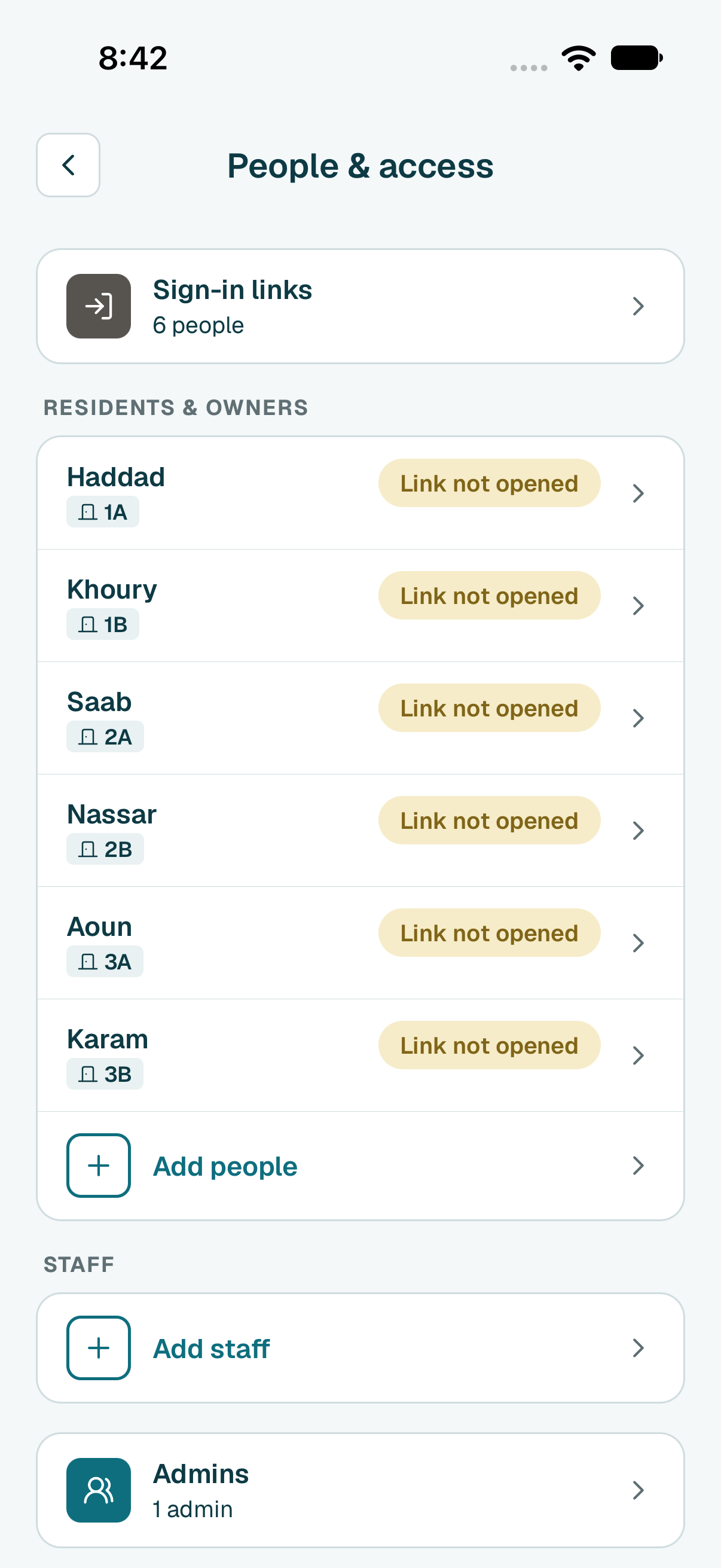
Next to the person, tap Send on WhatsApp. Pick the language of the message. WhatsApp opens their chat with the message already written. Send it.
Tip
No phone number for them yet? Tap Send on WhatsApp and pick their chat, or type it and tap Save number.Tip
An owner under No sign-in yet needs a sign-in first. Tap Give them a sign-in, choose their username, and tap Give them a sign-in again. They move up to the list to send.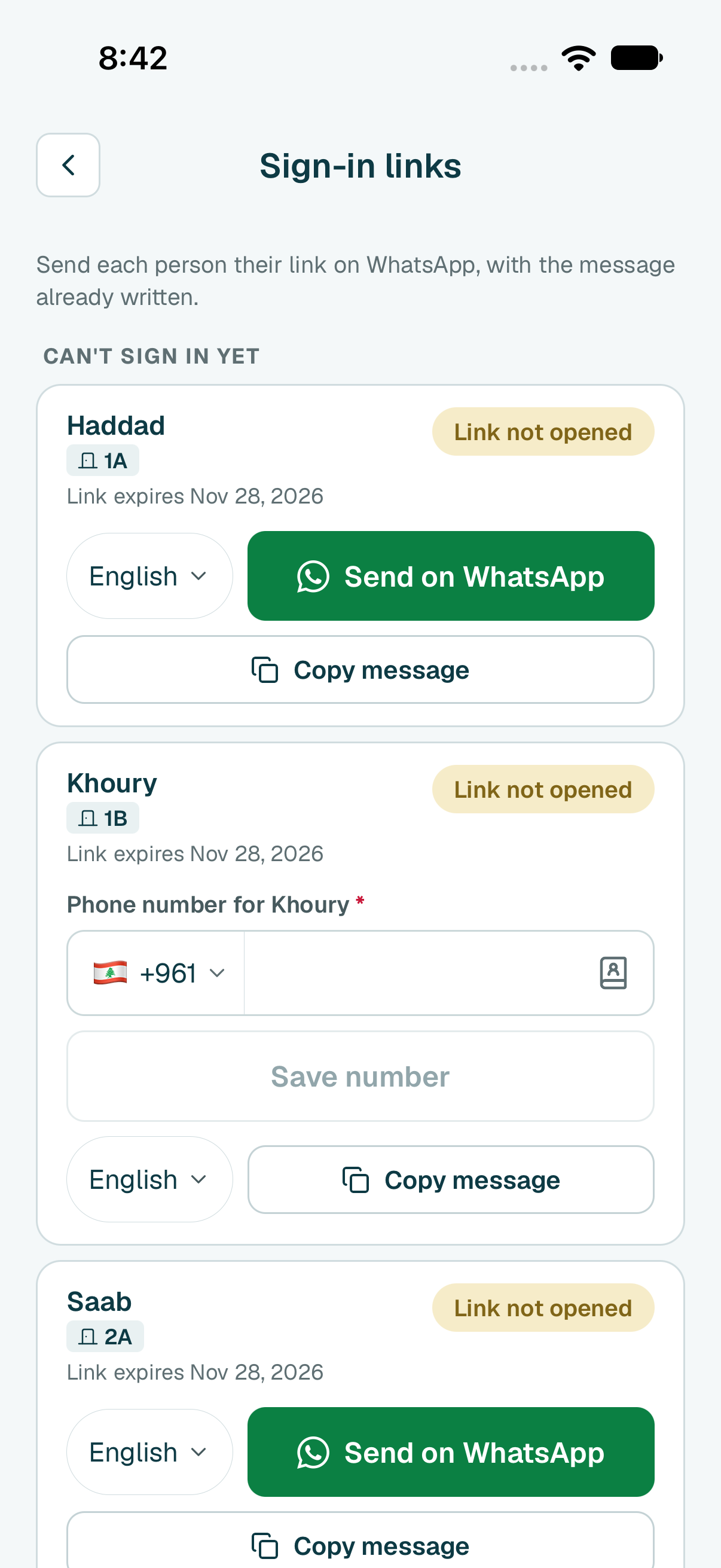
Tip
Shortcut: when Home says someone can't sign in, tap that line.
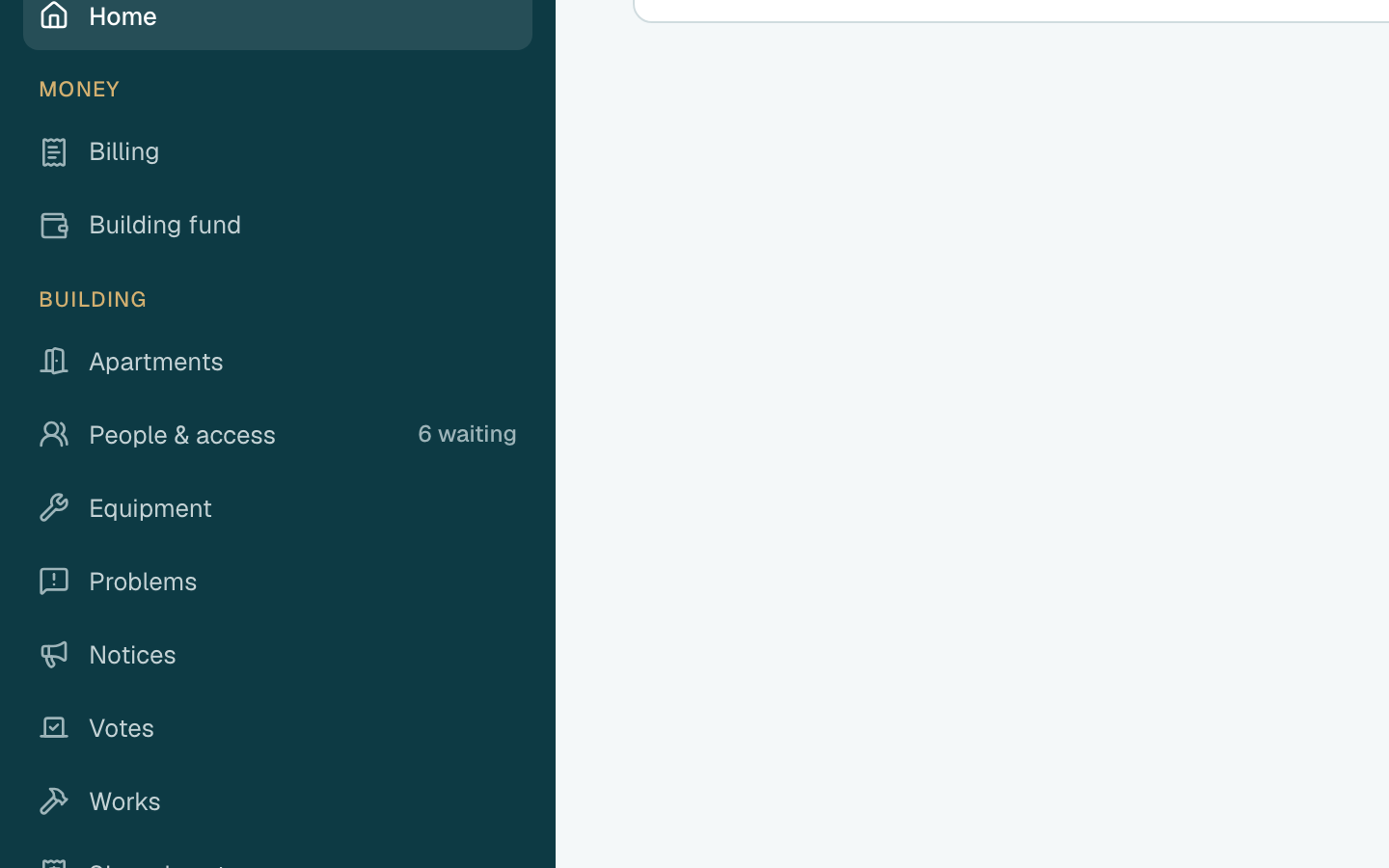
- Click People & access in the side menu.
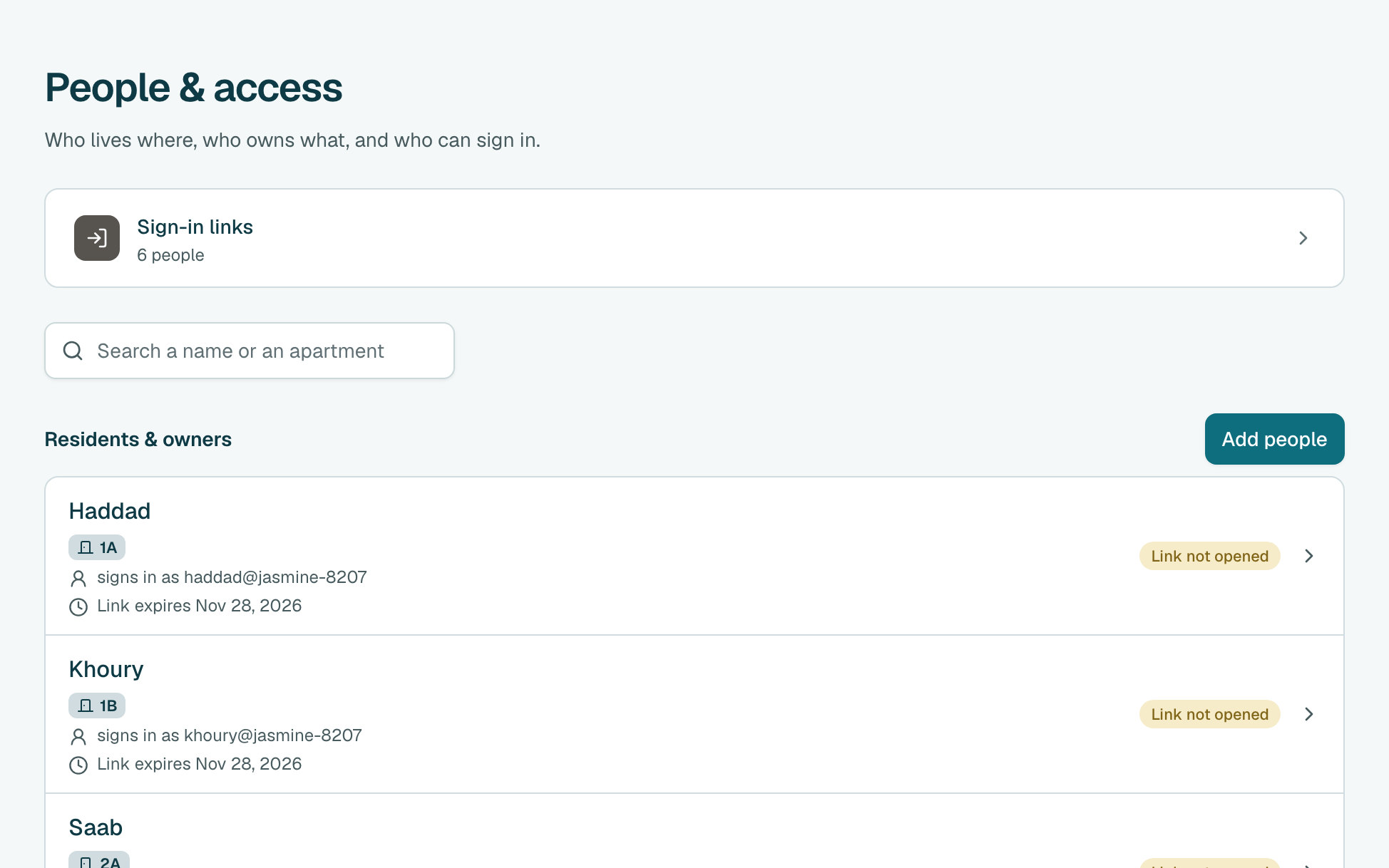
- Click Sign-in links. Everyone who can't sign in yet is on this list.
Next to the person, click Send on WhatsApp. Pick the language of the message. WhatsApp opens their chat with the message already written. Send it.
Tip
No phone number for them yet? Click Send on WhatsApp and pick their chat, or type it and click Save number.Tip
An owner under No sign-in yet needs a sign-in first. Click Give them a sign-in, choose their username, and click Get sign-in link. Then click Send on WhatsApp.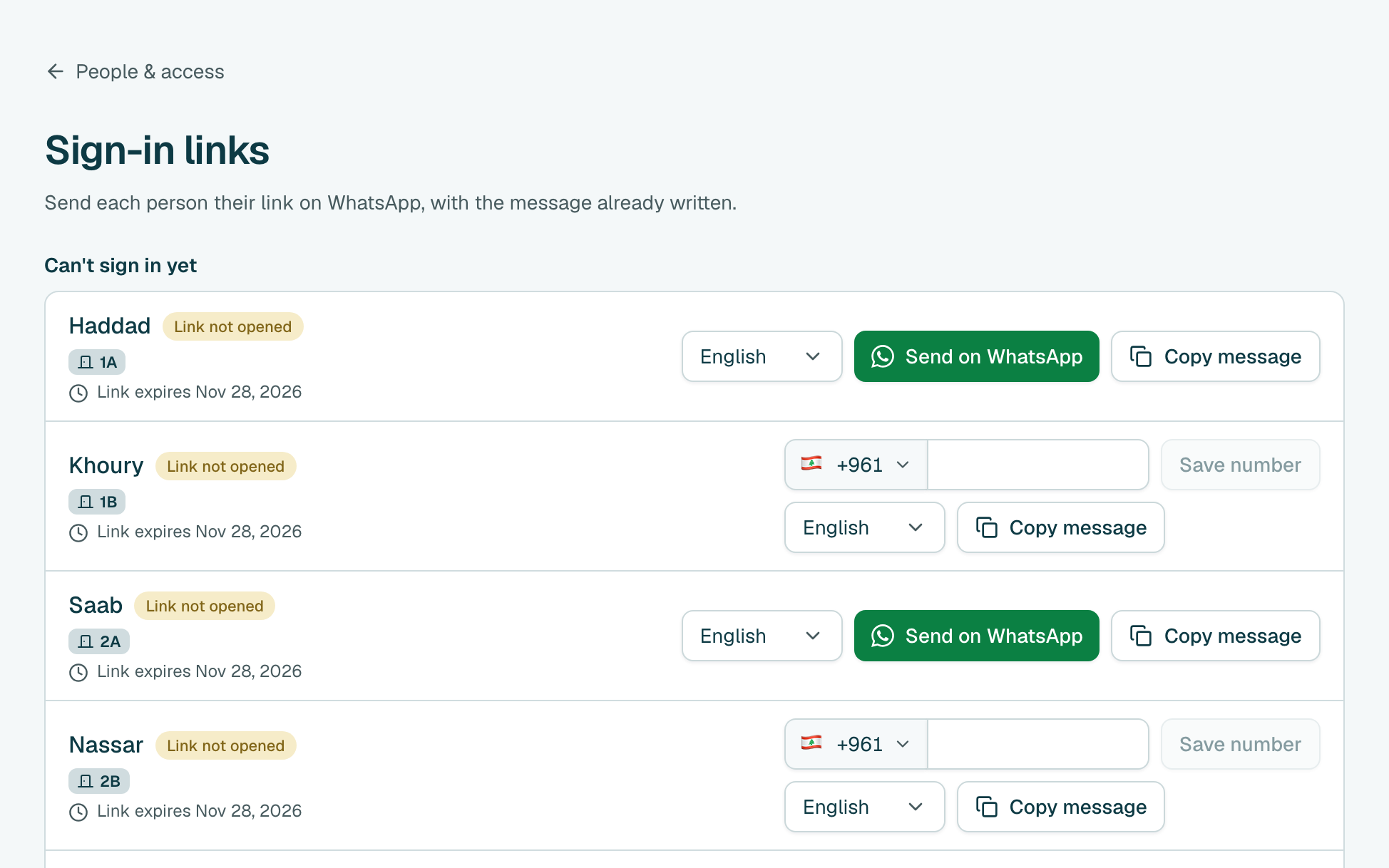
Tip
Shortcut: when Home says someone can't sign in, click that line.
Still stuck?
Message us on WhatsApp and we will walk you through it.