Collect a payment
When someone hands you money for their bills, collect it in the app right away. Their bills show as paid and you have a receipt to send them.
Where are you doing it?
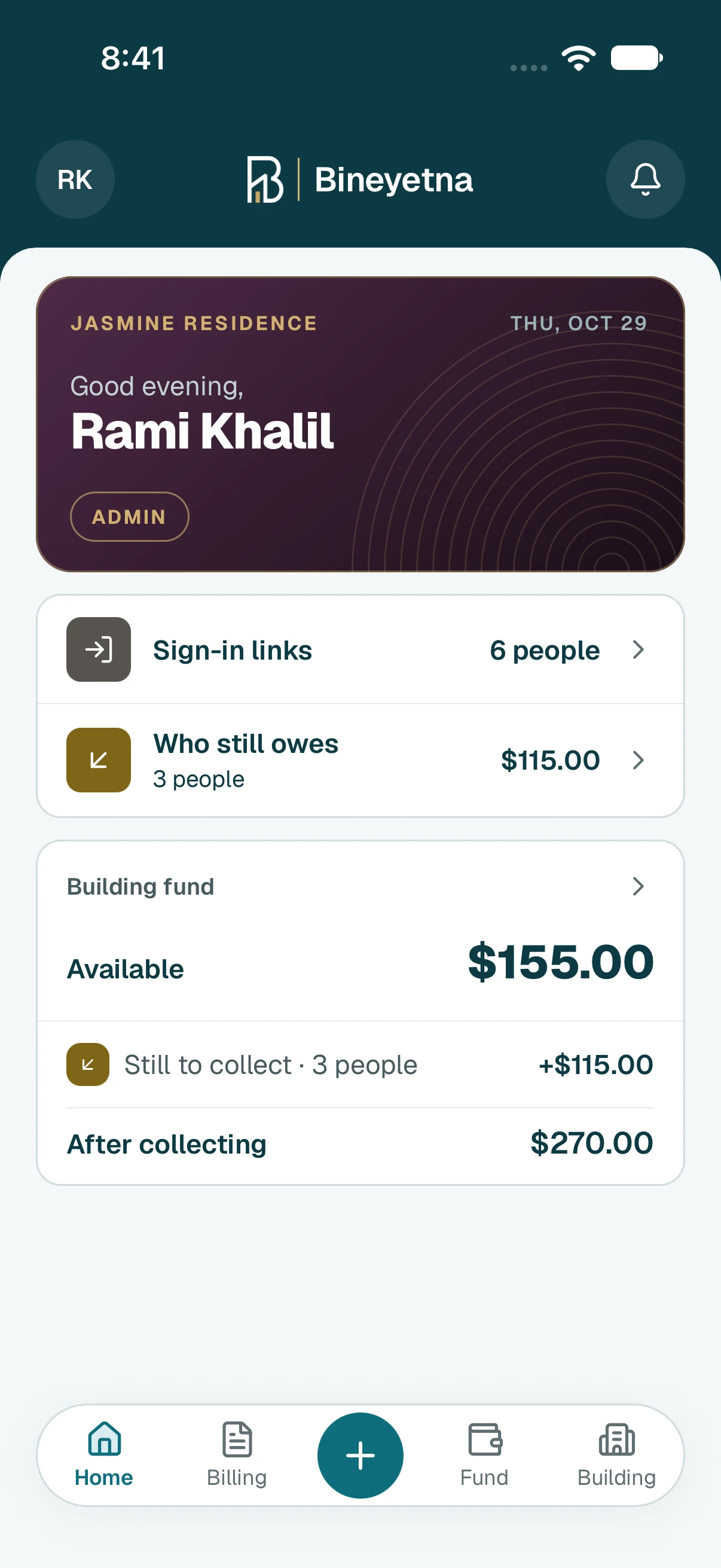
- Tap the round + button at the bottom of the screen.
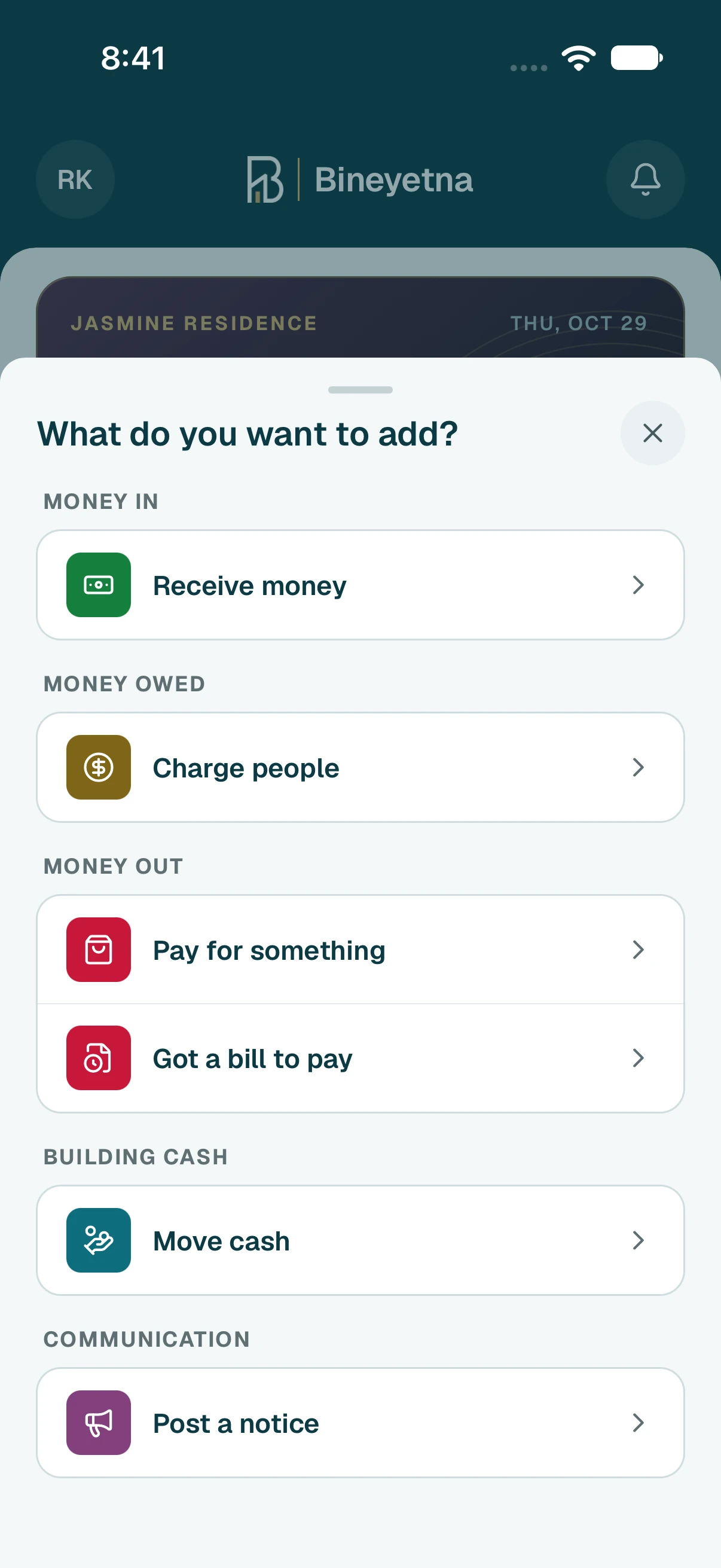
- Tap Receive money.
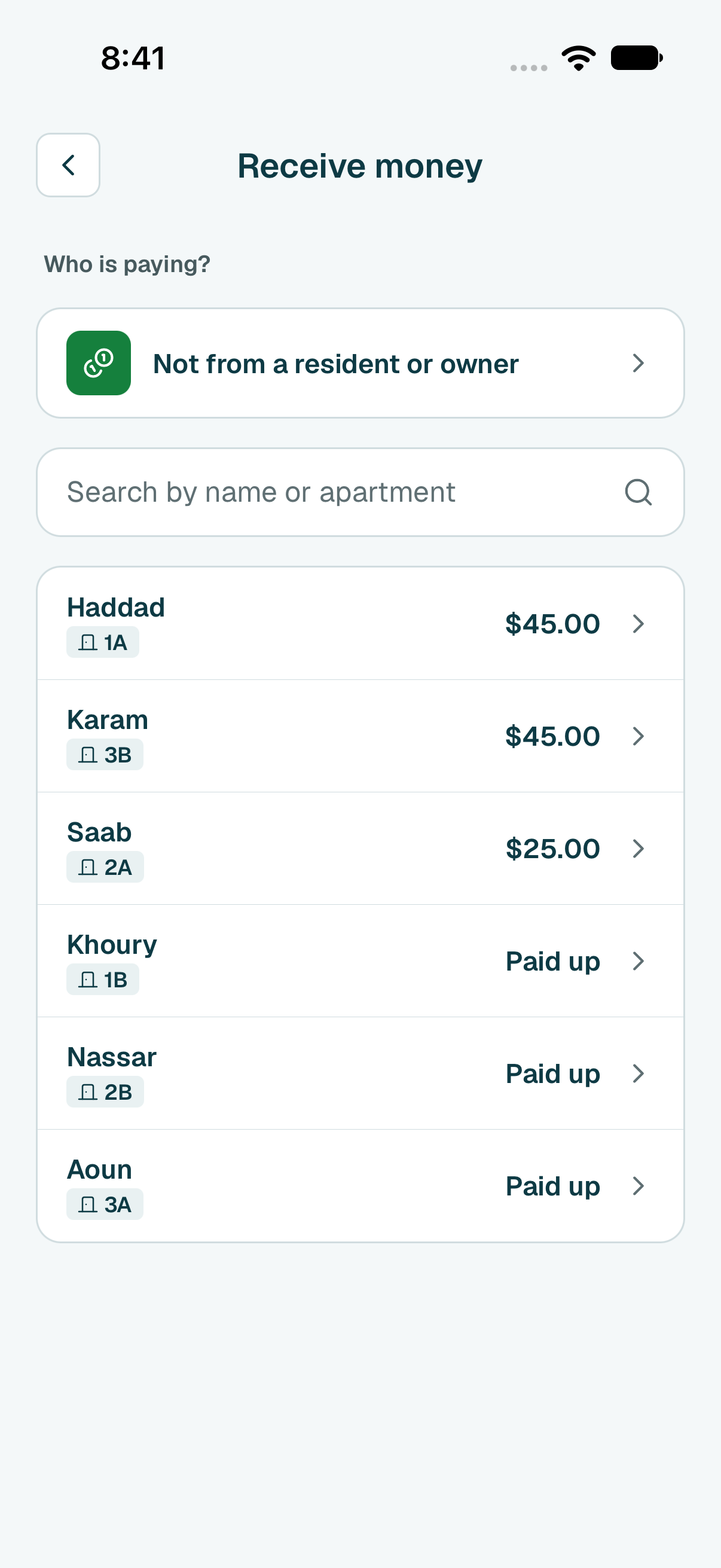
- Tap the person who gave you the money. People who still owe are at the top.
Type how much they gave you, then tap Next.
Tip
To put the money on specific bills, choose Bills I pick and tick the bills it pays. To pay no bill, choose Their credit.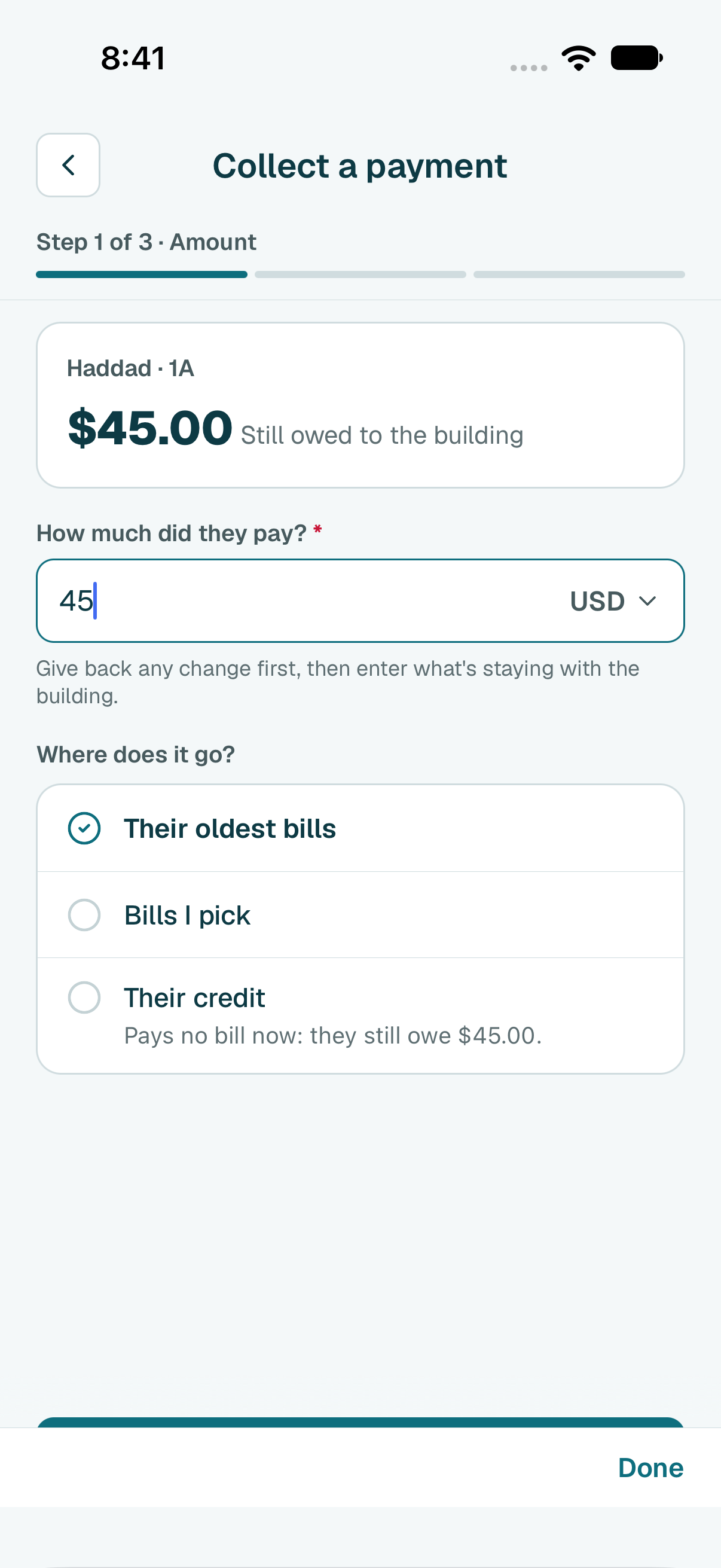
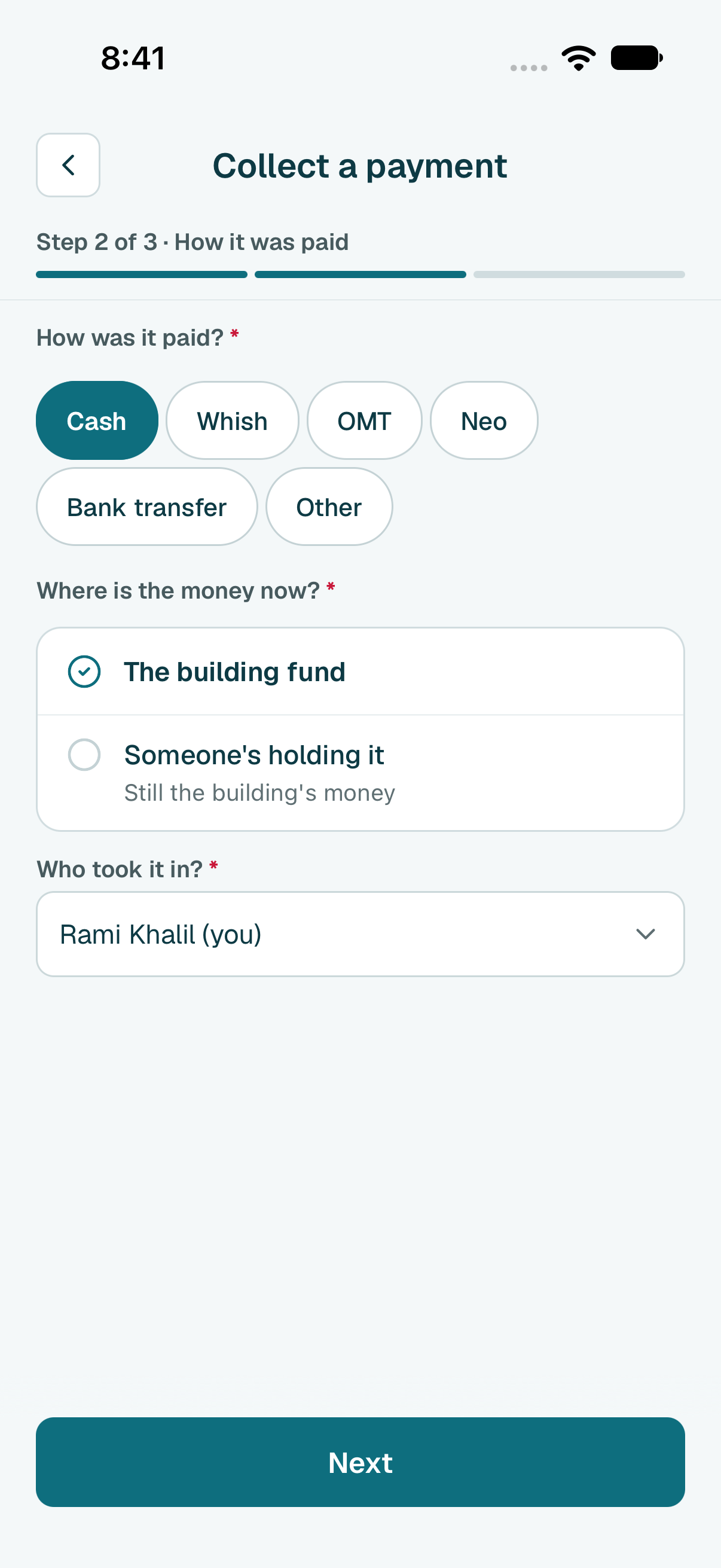
- Choose how they paid, where the money is now, and who took it in. Then tap Next.
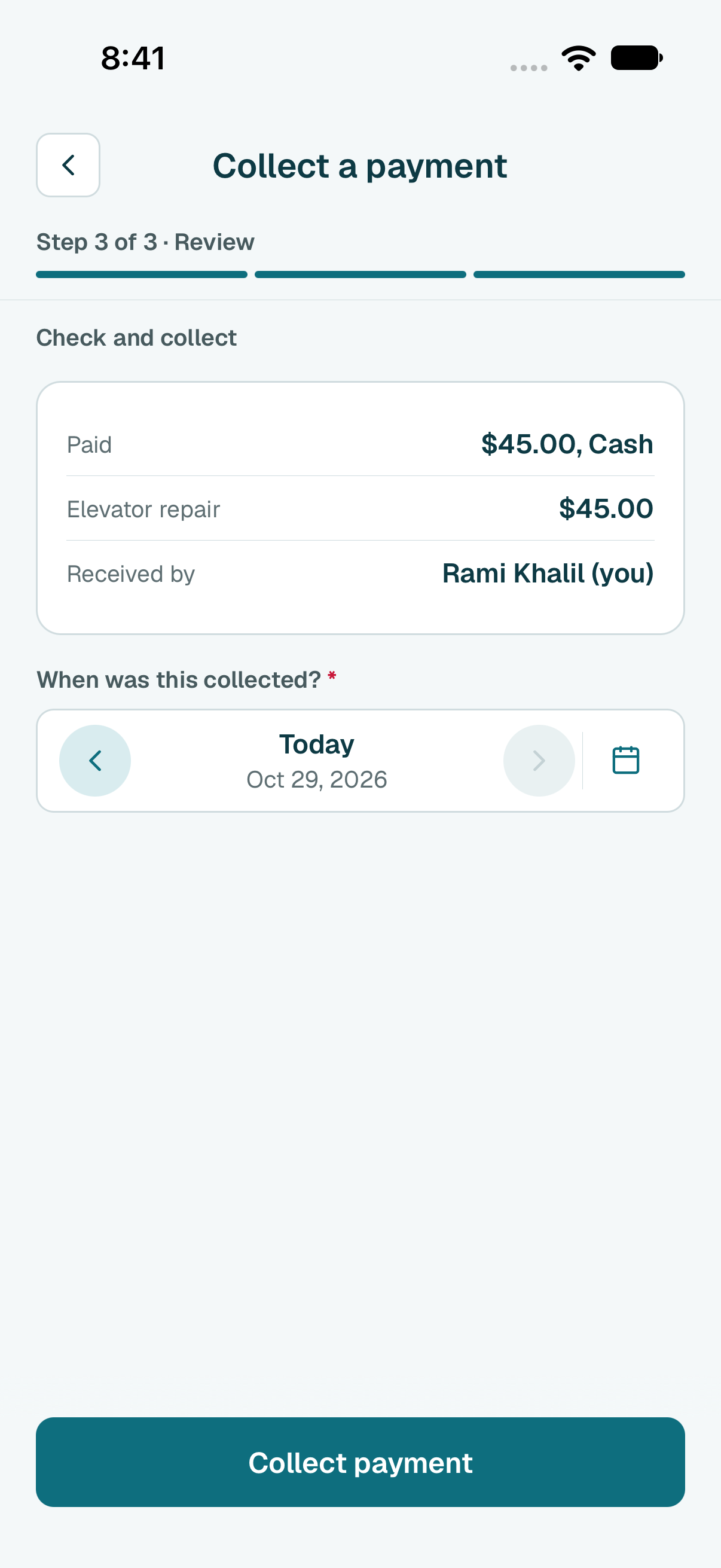
- Check the summary. If they paid on another day, change the date. Then tap Collect payment.
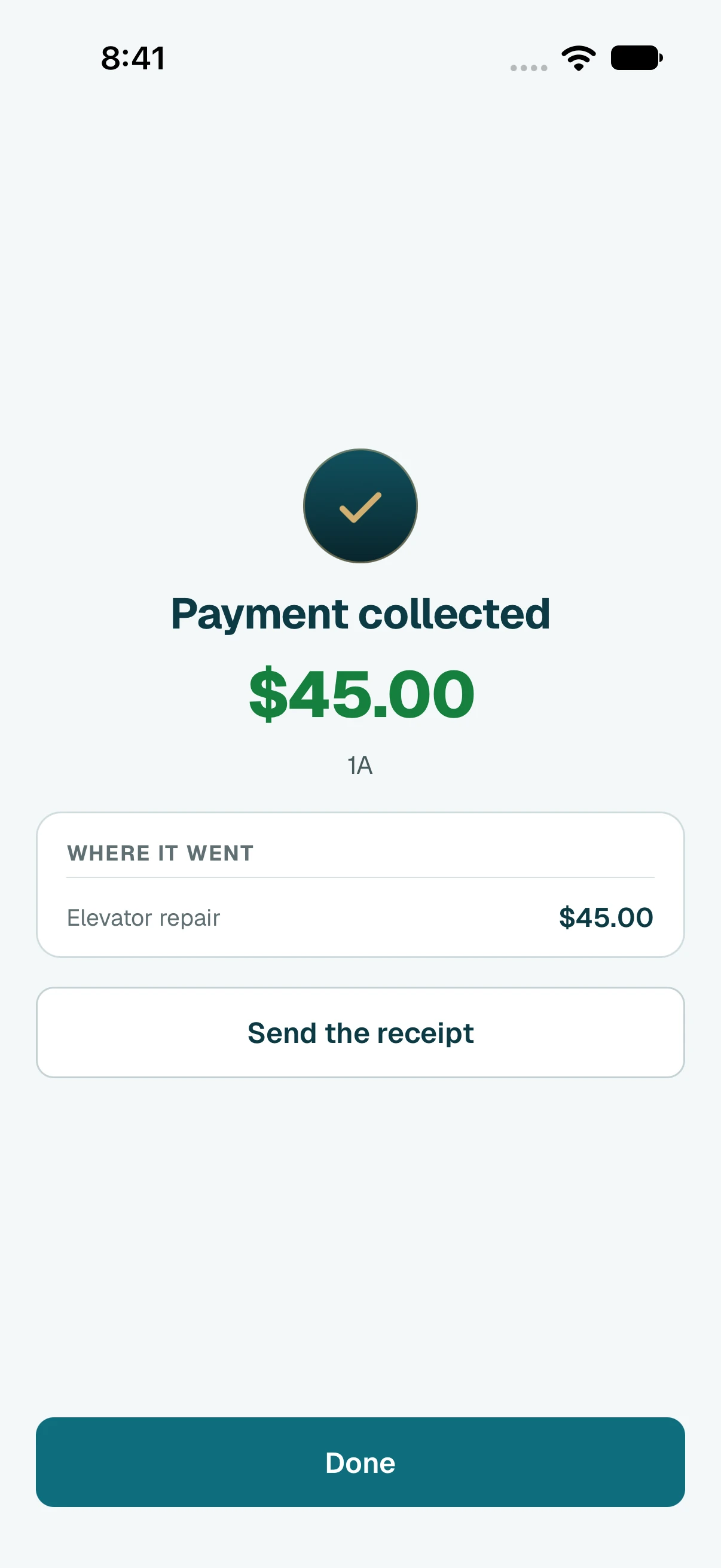
- Done. Tap Send the receipt to send them their receipt.
Tip
Shortcut: on Who still owes, on a person's page or on a bill, tap the collect button there. It skips choosing the person.
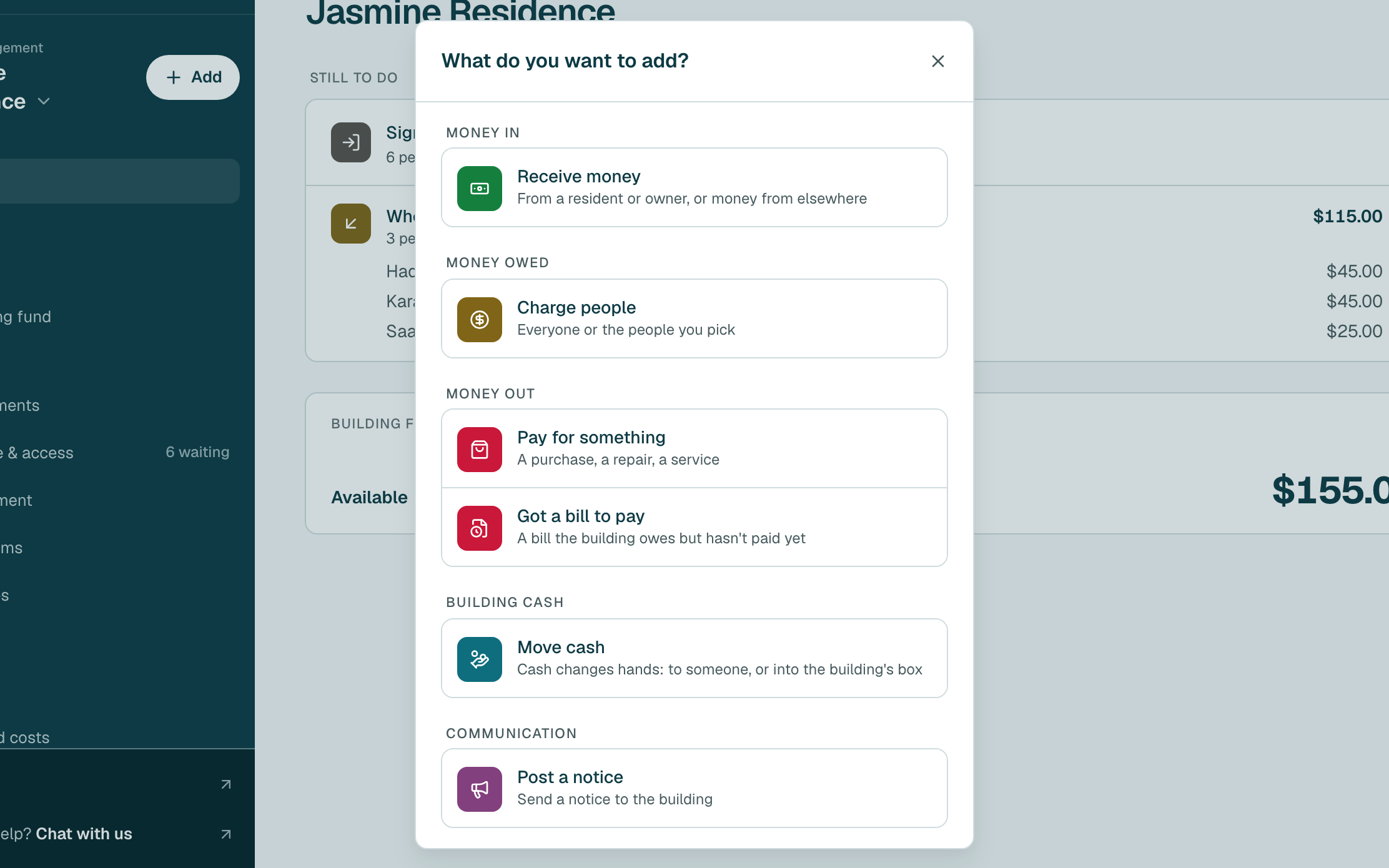
- Click Add, next to your building's name in the side menu.
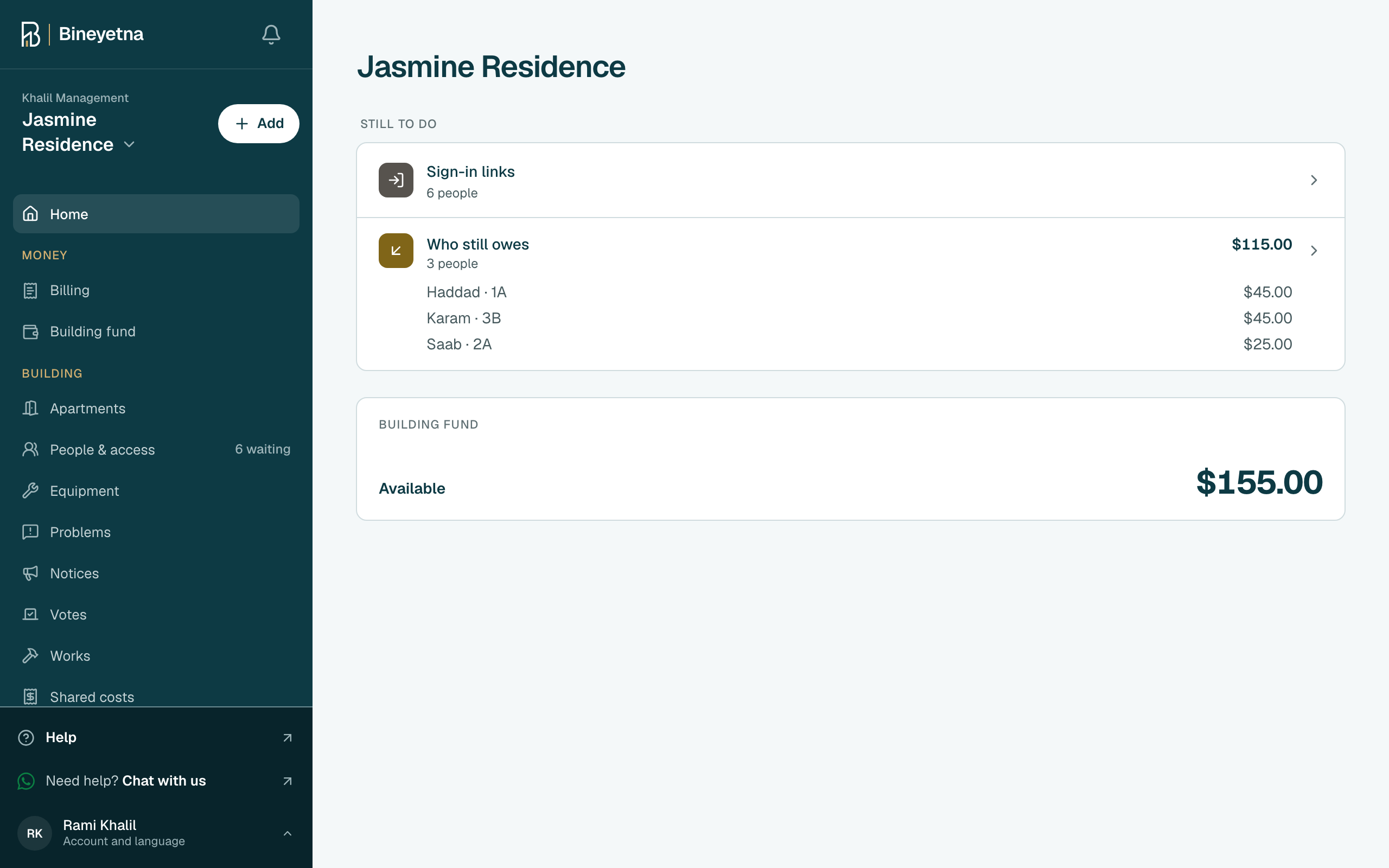
- Click Receive money.
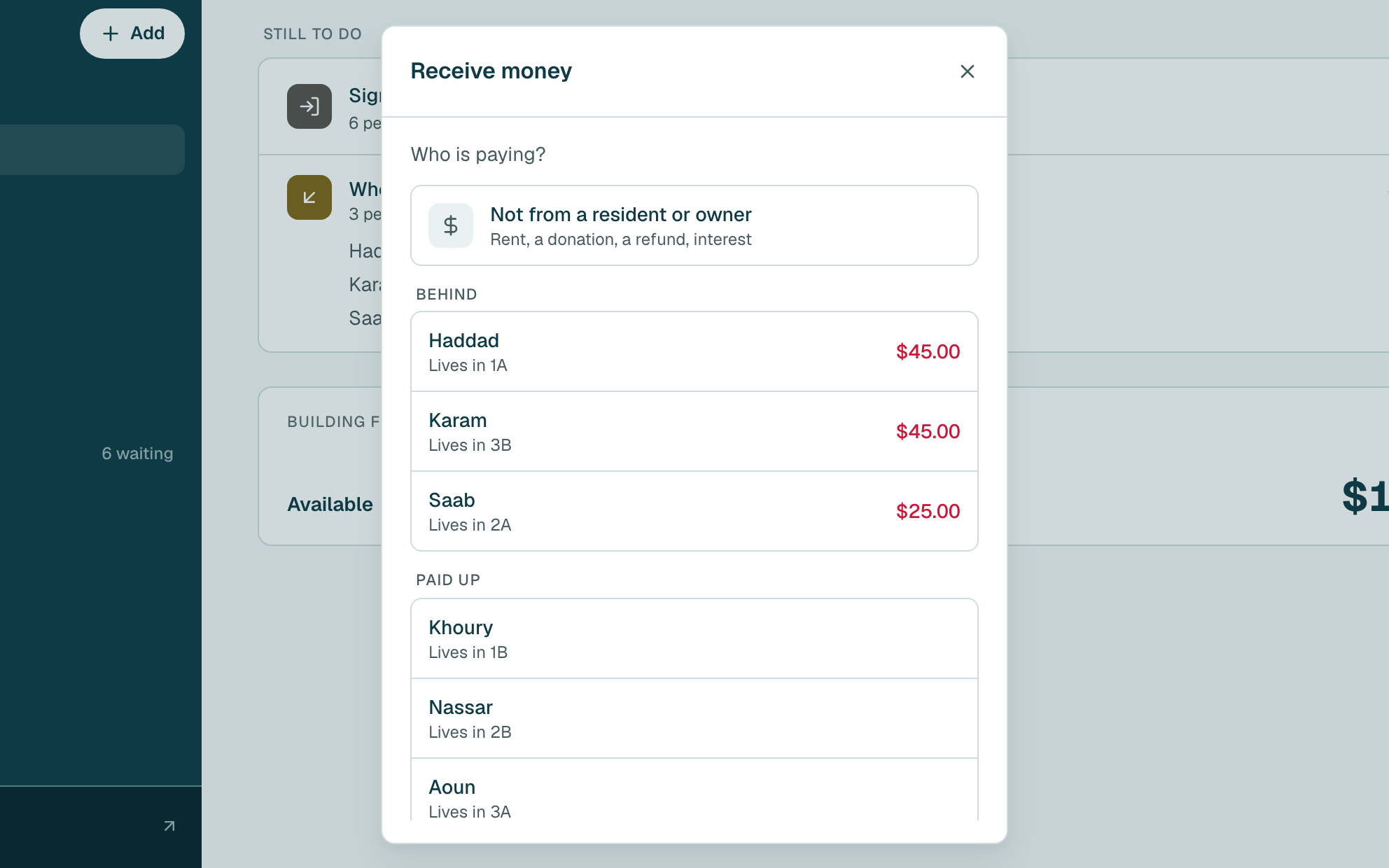
- Click the person who gave you the money. People who still owe are at the top.
Type how much they gave you, then click Next.
Tip
To put the money on specific bills, choose Bills I pick and tick the bills it pays. To pay no bill, choose Their credit.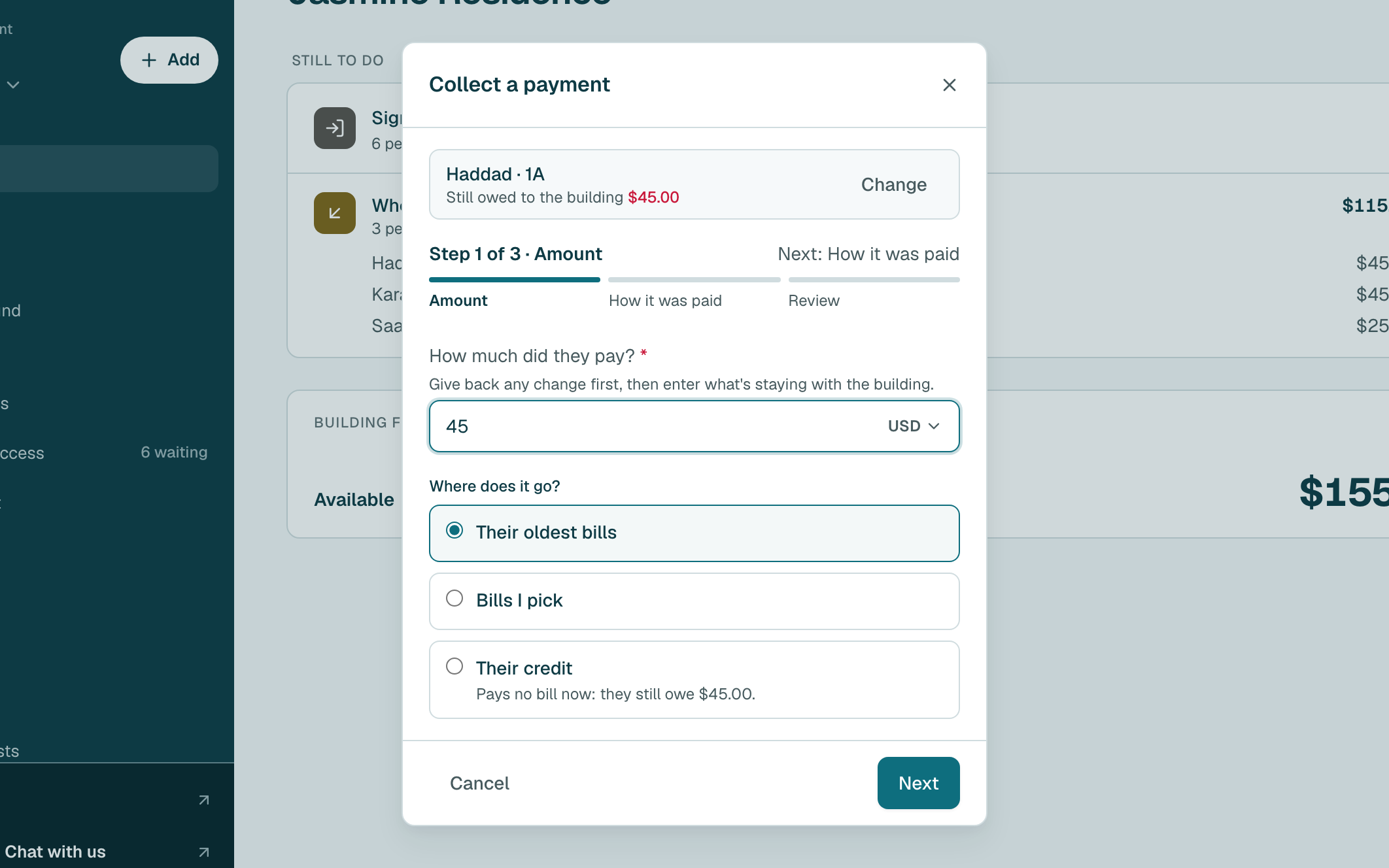
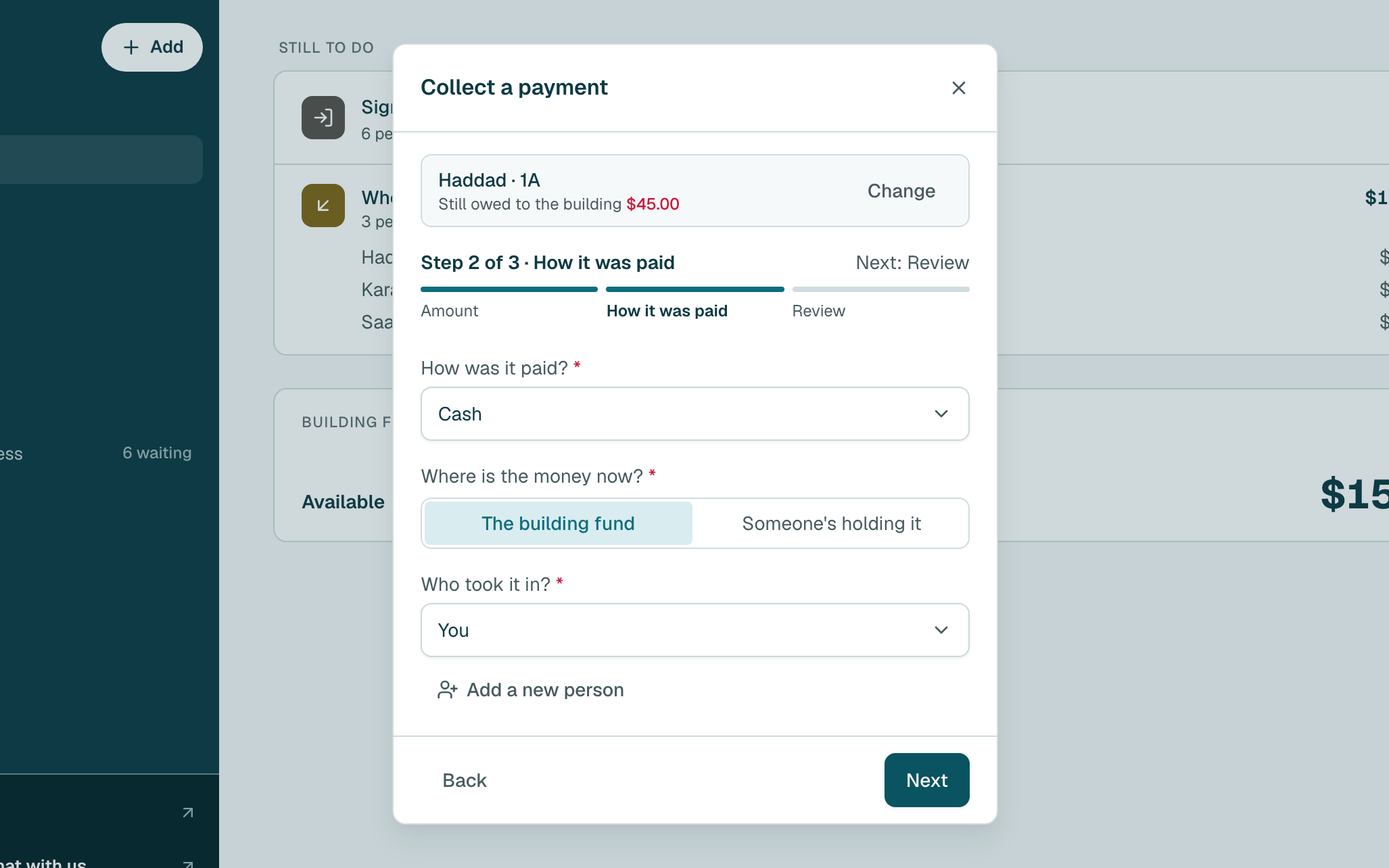
- Choose how they paid, where the money is now, and who took it in. Then click Next.
- Check the summary. If they paid on another day, change the date. Then click Collect payment.
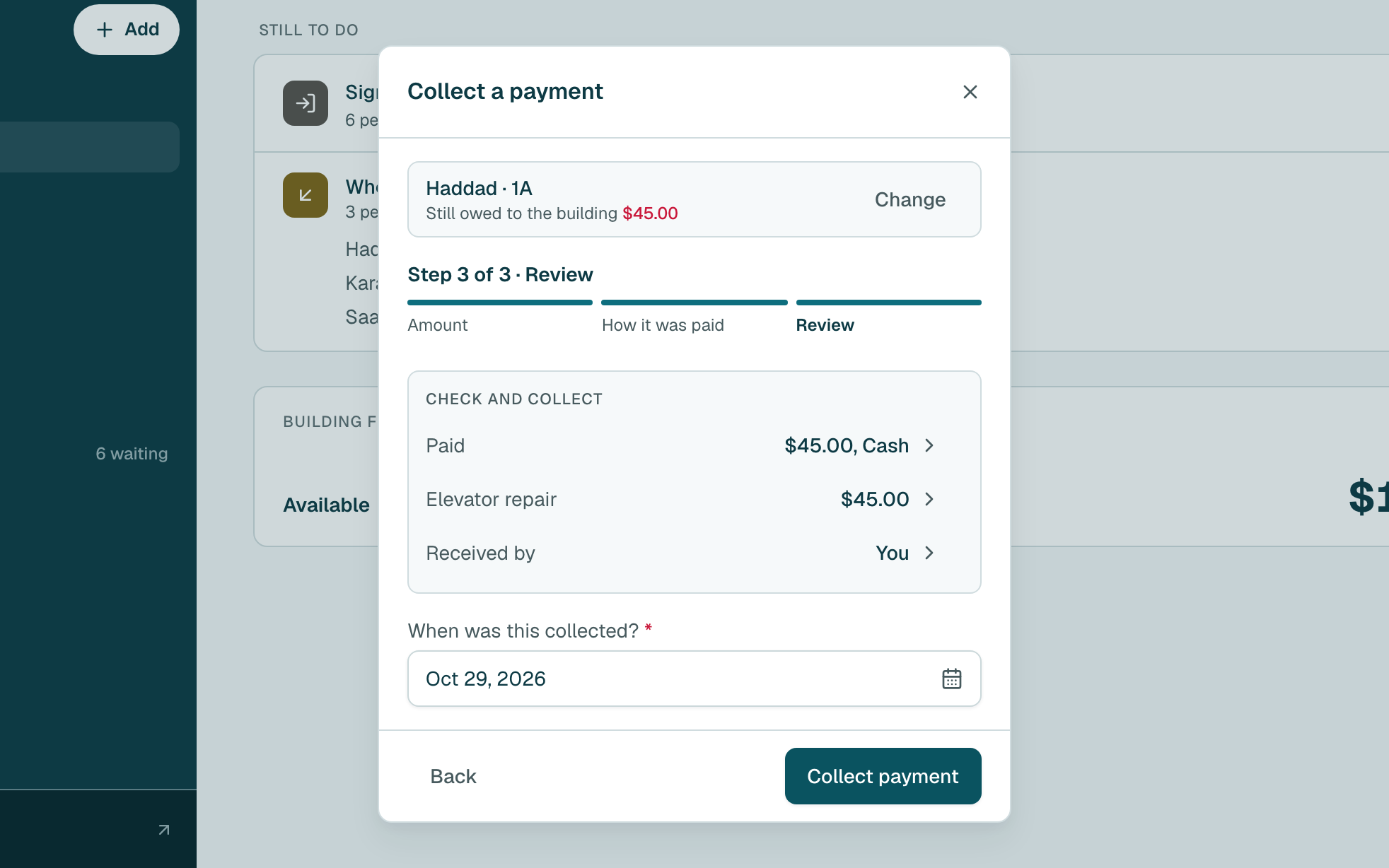
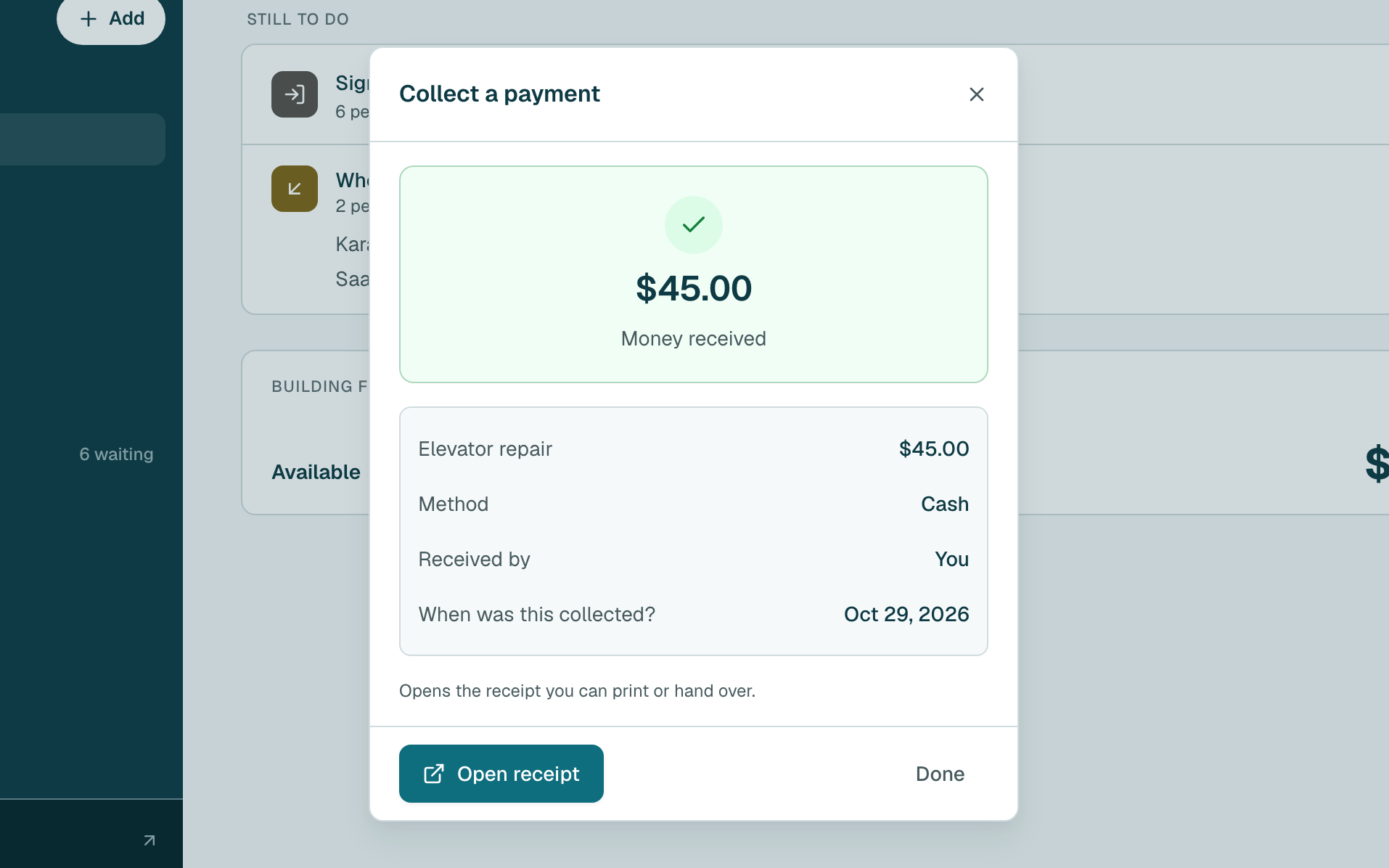
- Done. Click Open receipt to print or send their receipt, or Done to close.
Tip
Shortcut: on Who still owes, on a person's page or on a bill, click the collect button there. It skips choosing the person.
Still stuck?
Message us on WhatsApp and we will walk you through it.