Set up your building
When you start with Bineyetna, or take on another building, add the building and its apartments first. Then add who owns and who lives in each apartment, so bills have someone to go to.
Type your building's name and choose its currency. Then tap Save and continue.
Tip
Right after you sign up, the app opens this screen on its own. For another building, tap your initials at the top of Home, then the name above your buildings, then Add a building.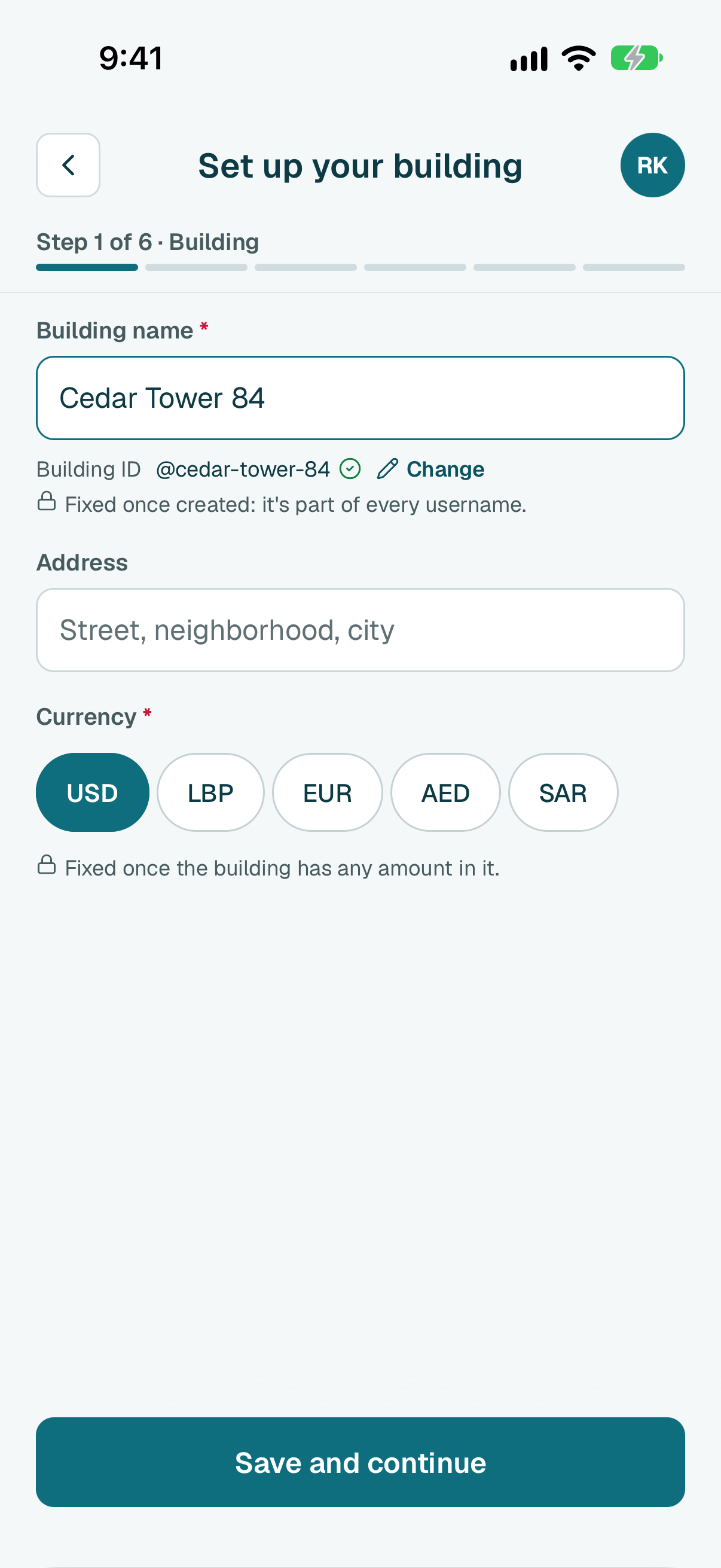
Choose One building or Separate blocks. Type how many floors there are and how many apartments are on each floor. Then tap the button at the bottom. It says how many apartments it will create.
Tip
Each floor is a row: its + and - set how many apartments it has, tap an apartment to rename it (a roof flat, a shop), tap the floor's name to change its number. Floor below adds the ground floor or a basement.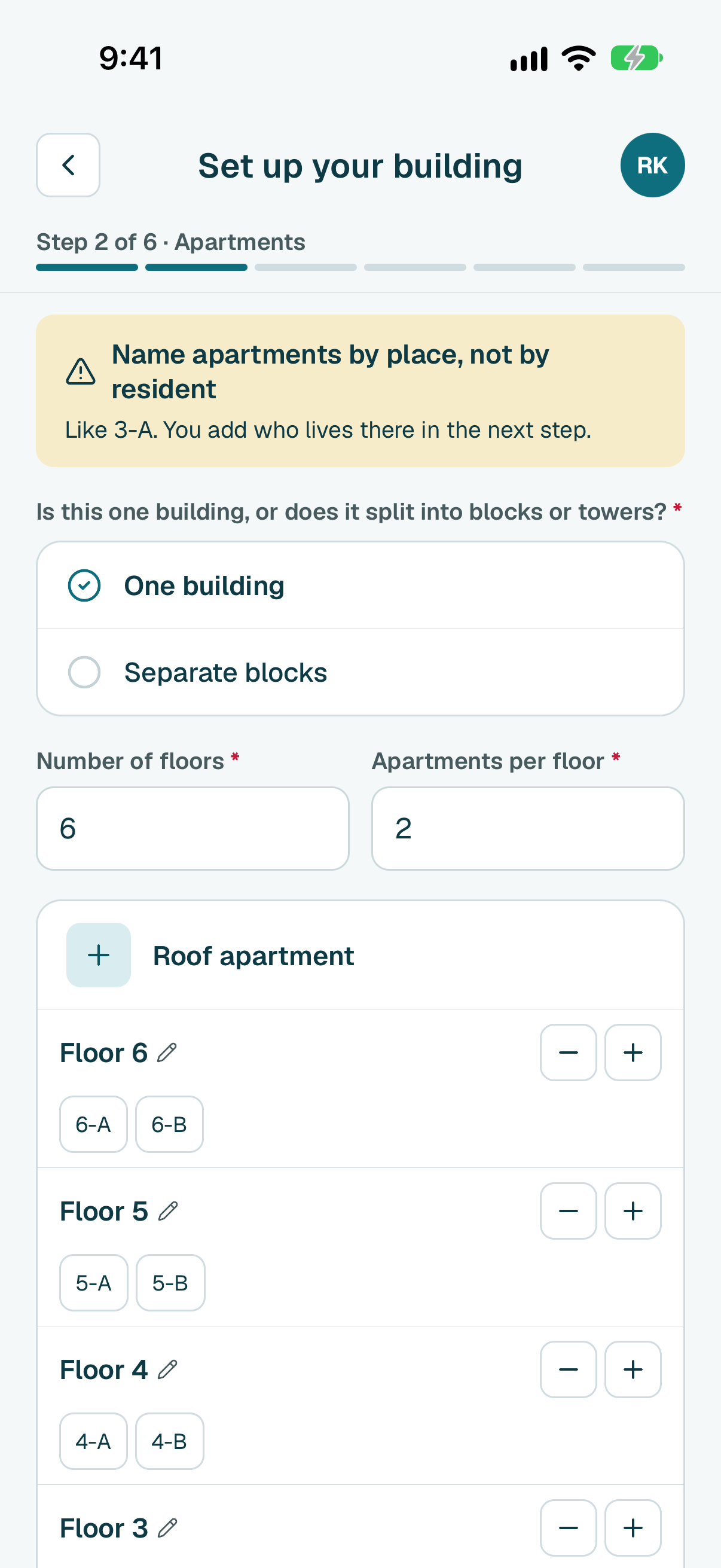
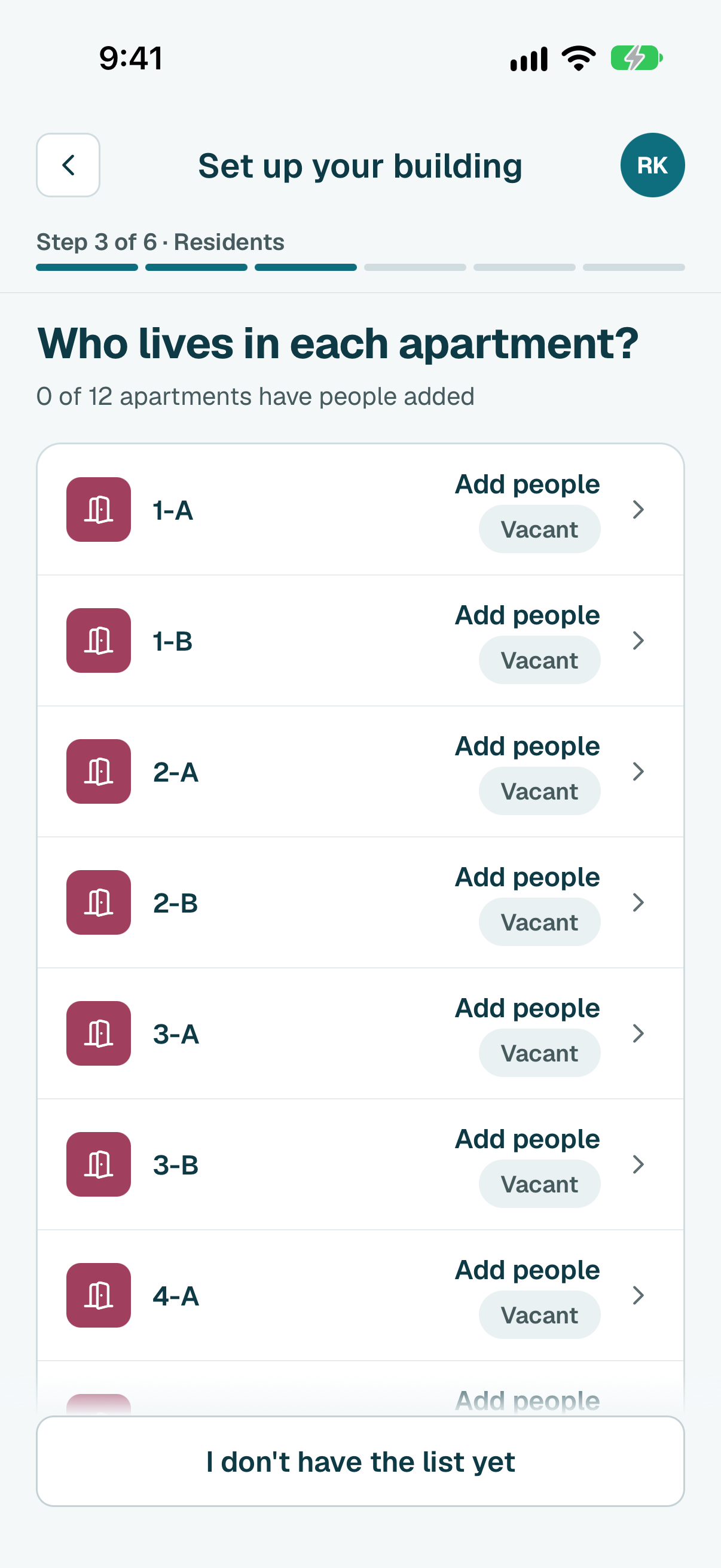
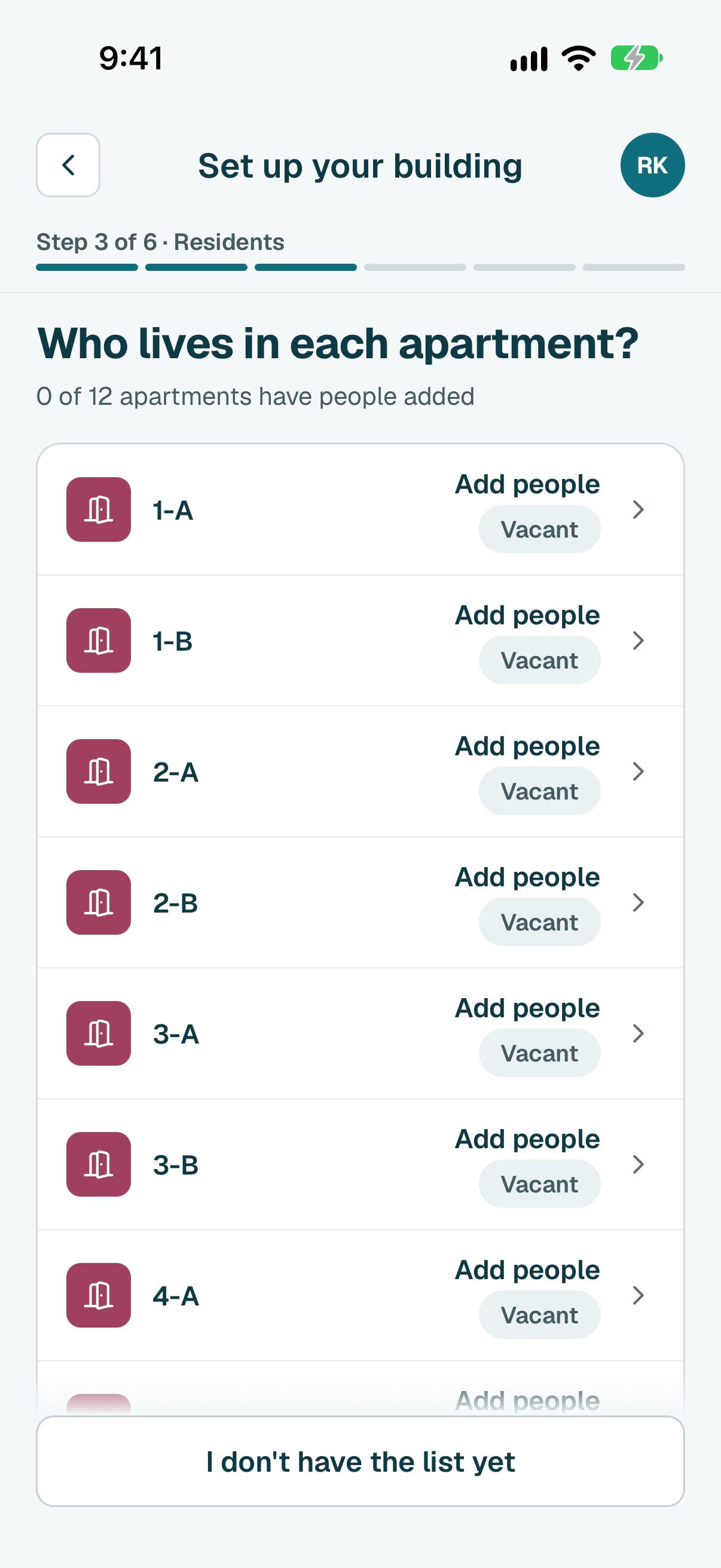
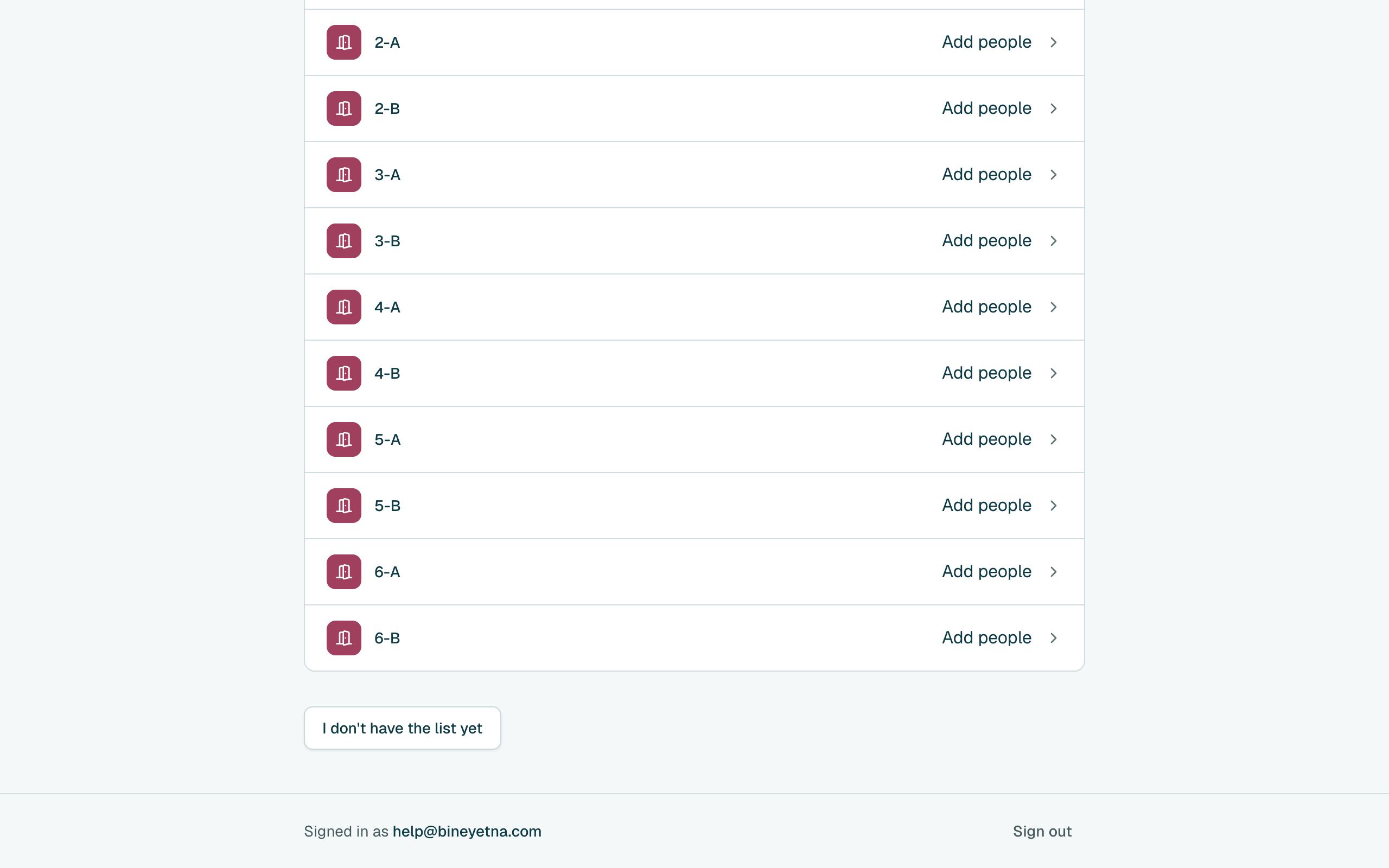
- Tap Add people beside an apartment.
Pick one: Lives here, doesn't own it, Owns it, lives elsewhere or Owns it and lives here.
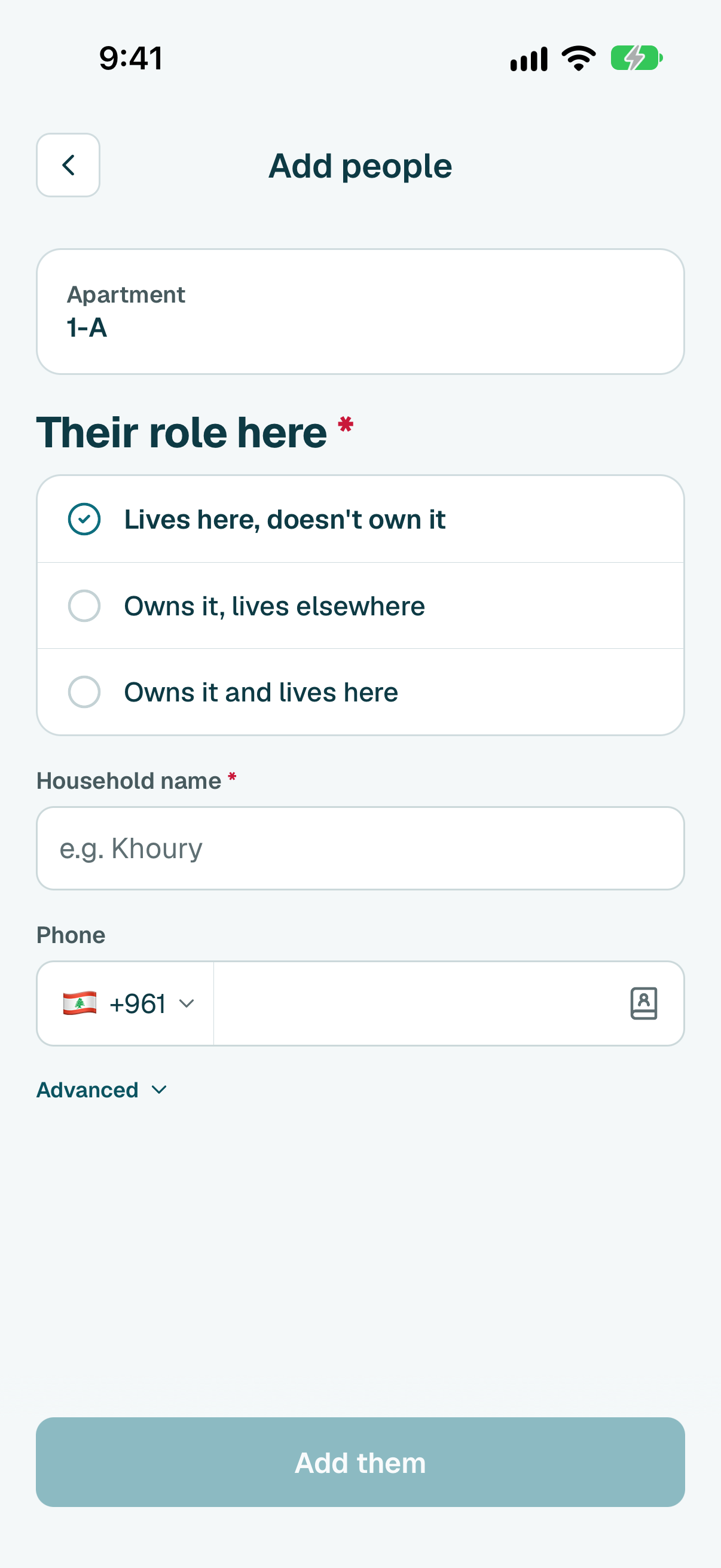
Type their name and phone, then tap Add them. You can send them their sign-in link now, or later.
Tip
Someone else owns it? Add the owner later from the apartment's own page.
Tip
Once the building has people, it asks who it is. Tap Someone new, or pick the person if they are already in the building.Tip
If the building already has shared costs, tap Next first and choose which ones they pay.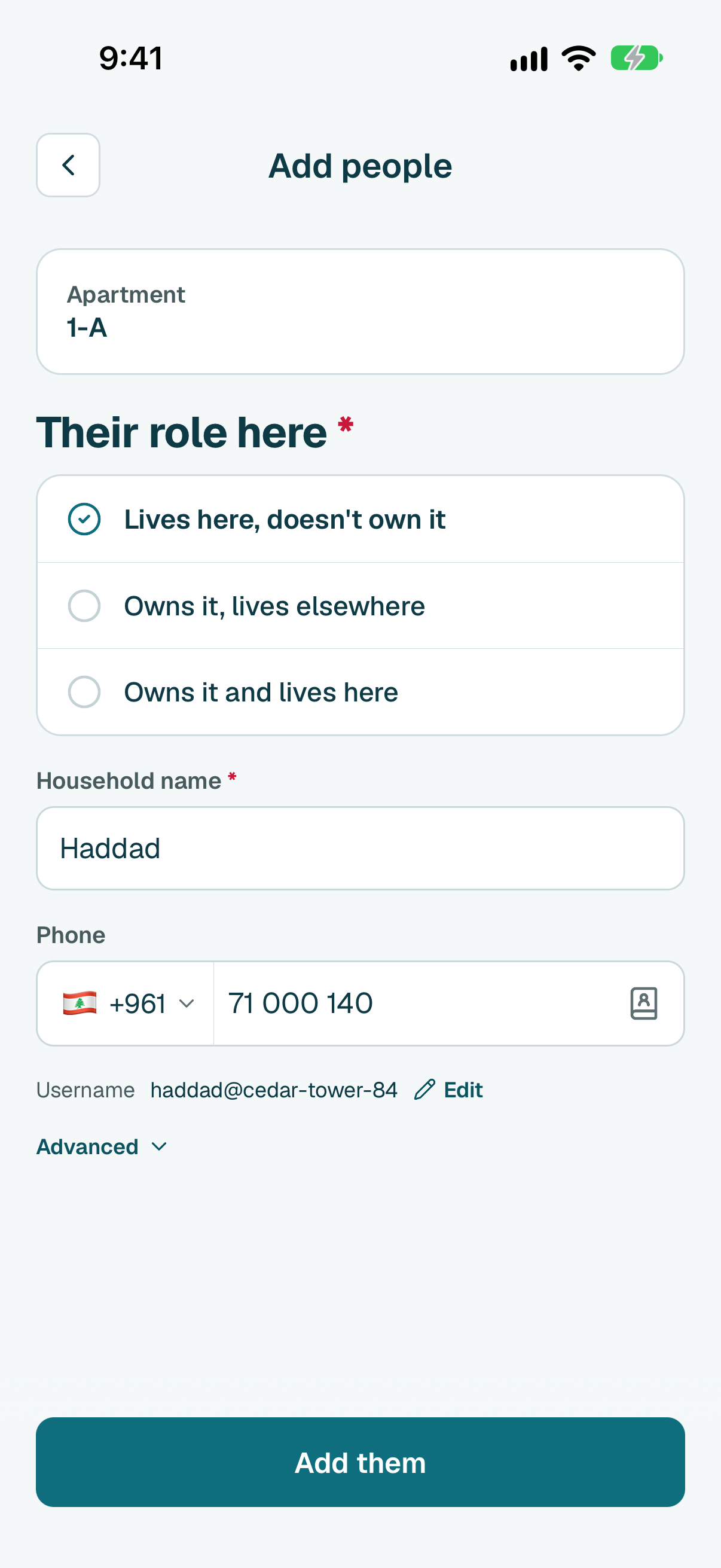
- Add the others the same way, then tap Next. No list yet? Tap I don't have the list yet: Continue setup on Home brings you back here when you have it.
Tip
Tip
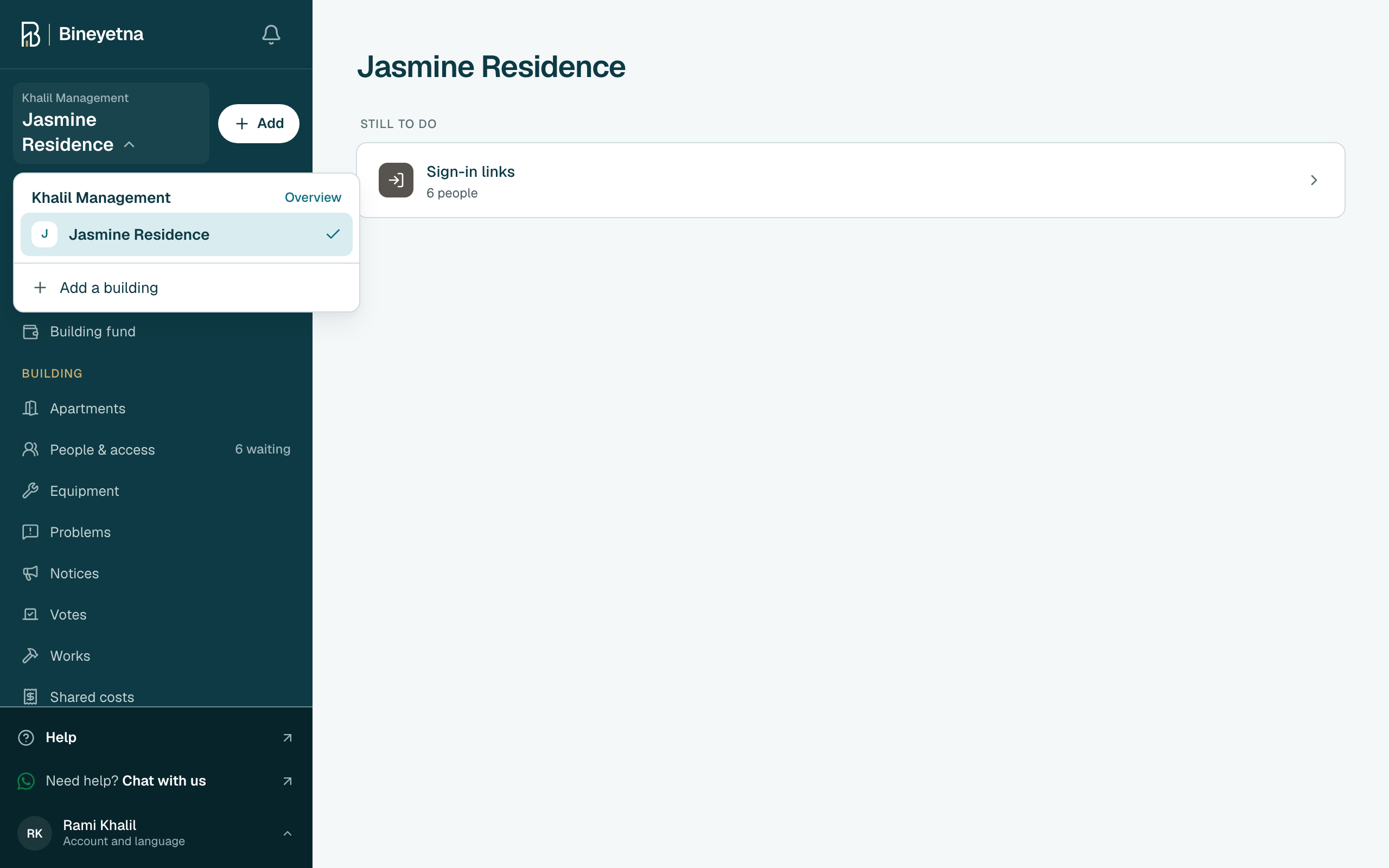
Click your building's name at the top of the side menu, then click Add a building.
Tip
Right after you sign up, this form opens on its own. Start at the next step.
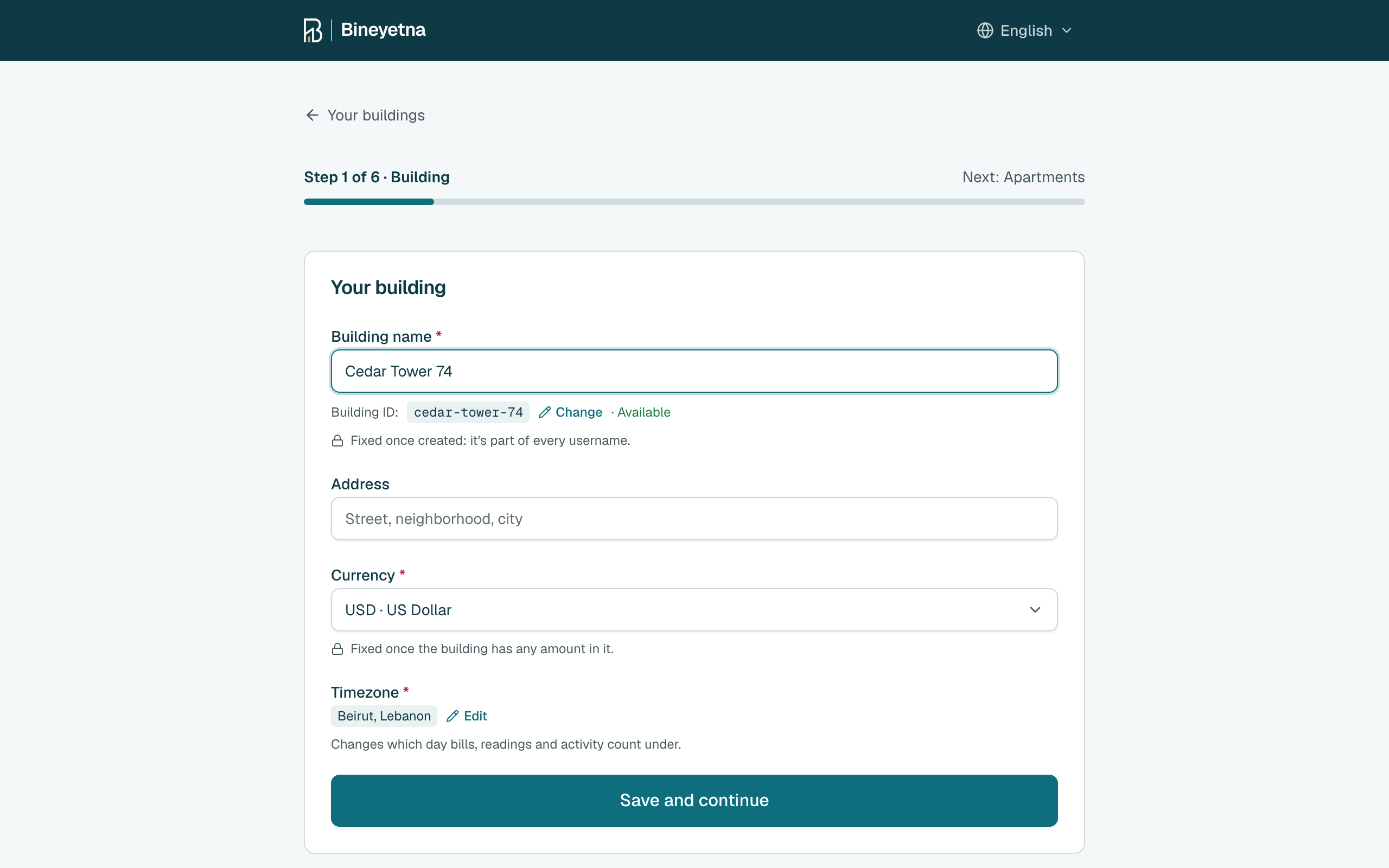
- Type your building's name and check its currency. Then click Save and continue.
Choose One building or Separate blocks. Type how many floors there are and how many apartments are on each floor. Then click the button at the bottom. It says how many apartments it will create.
Tip
Each floor is a row: its + and - set how many apartments it has, click an apartment to rename it (a roof flat, a shop), click the floor's name to change its number. Floor below adds the ground floor or a basement.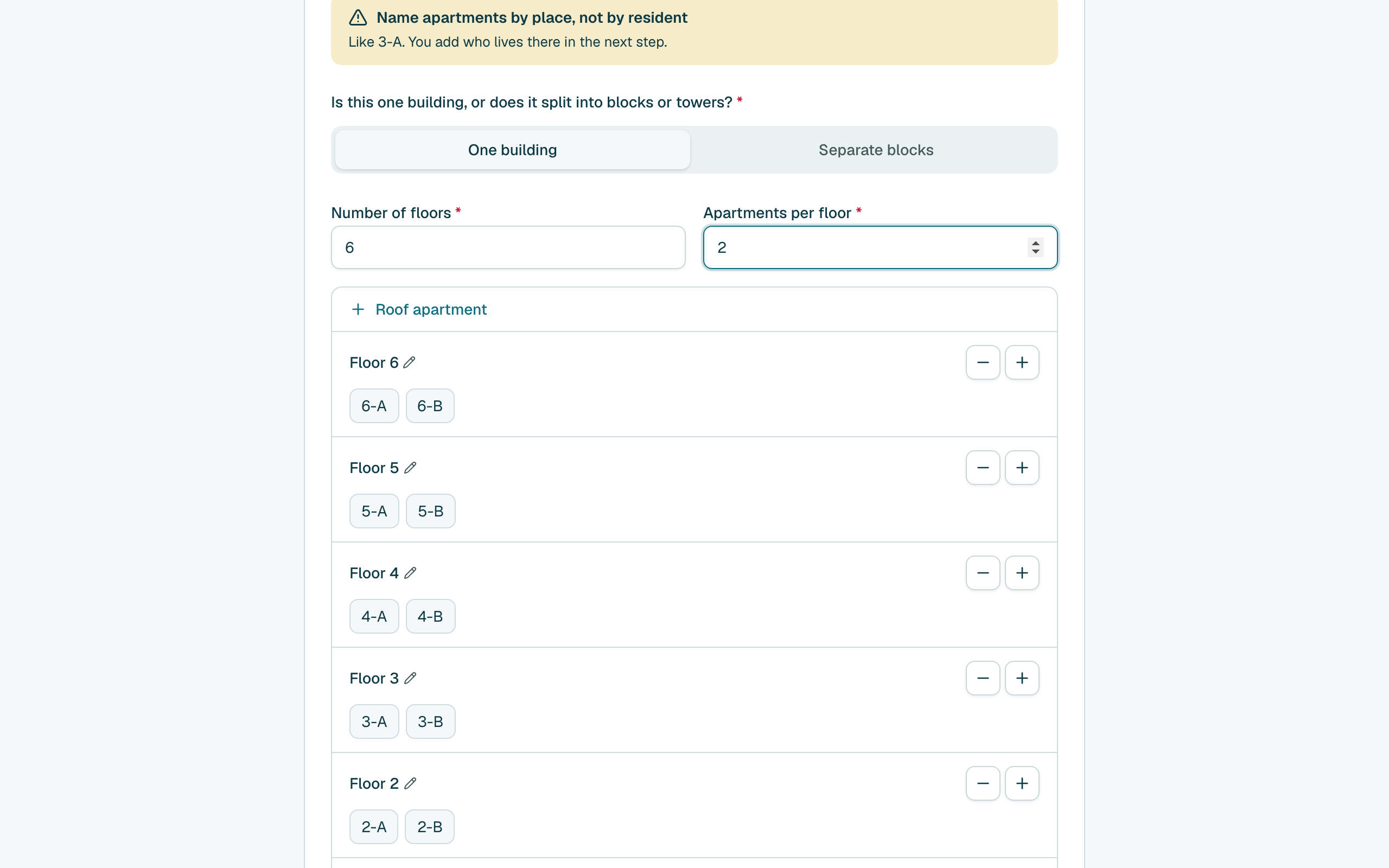
- Click Add people beside an apartment.
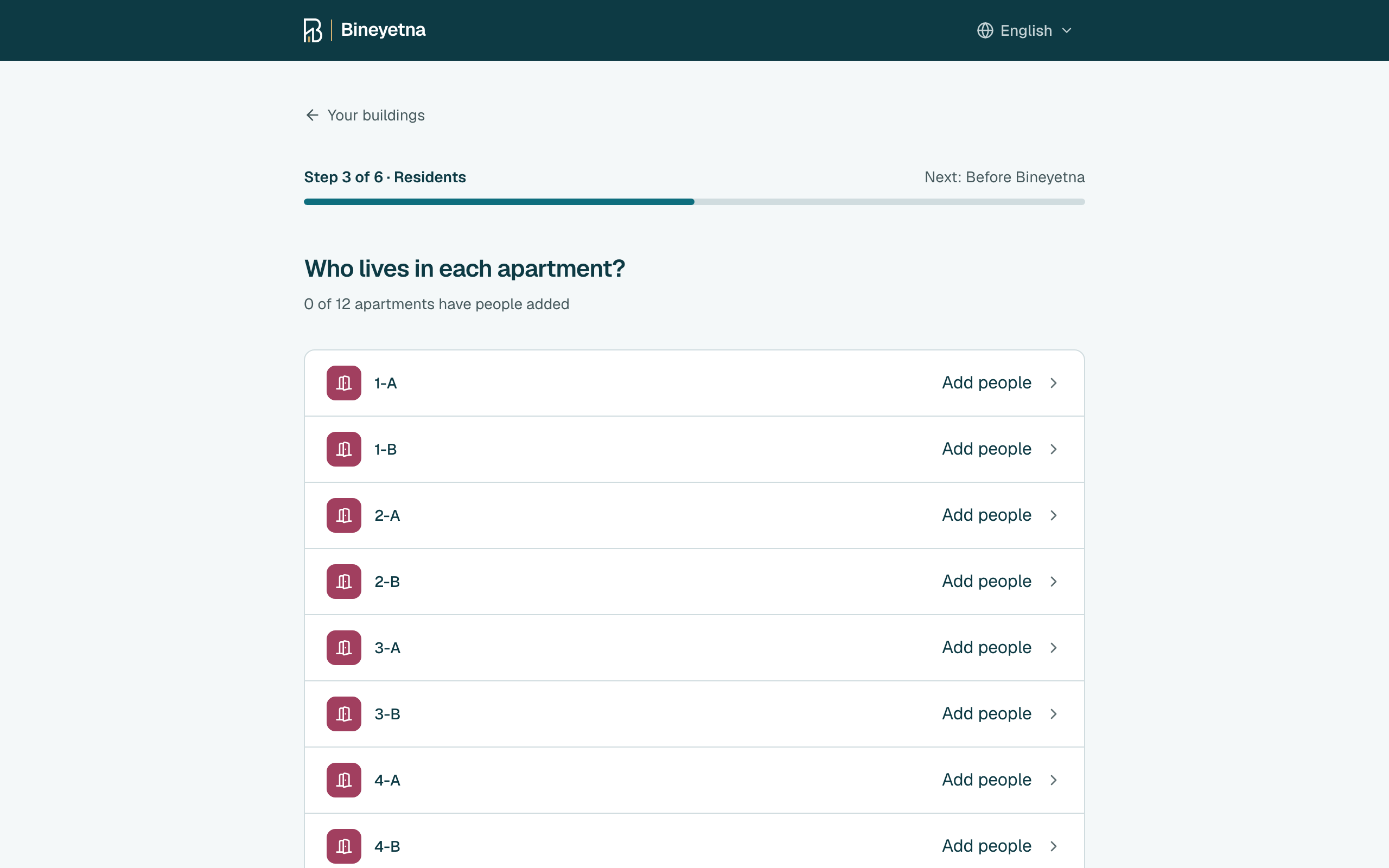
Pick one: Lives here, doesn't own it, Owns it, lives elsewhere or Owns it and lives here.
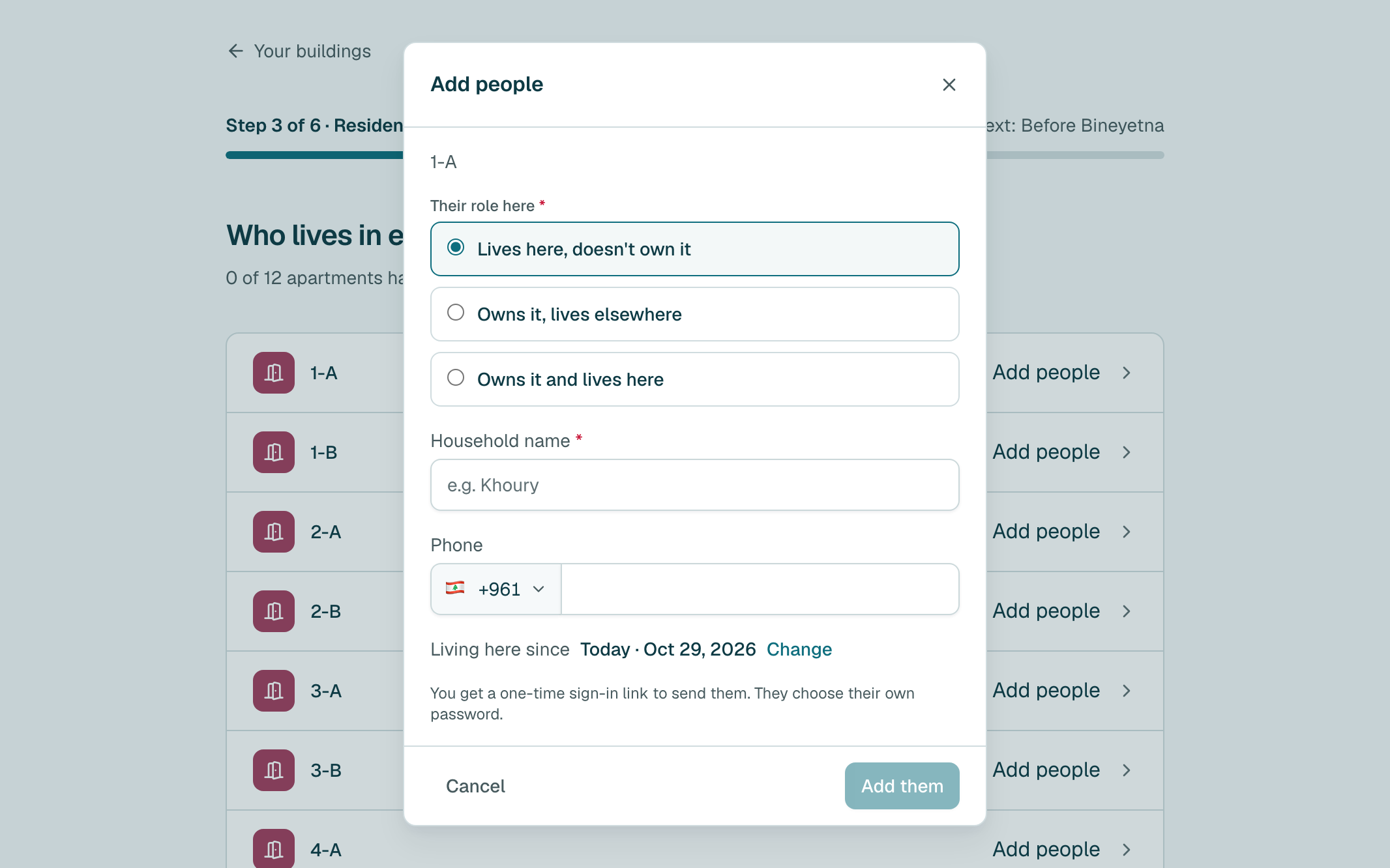
Type their name and phone, then click Add them. You can send them their sign-in link now, or later.
Tip
Someone else owns it? Add the owner later from the apartment's own page.
Tip
Once the building has people, it asks who it is. Click Someone new, or pick the person if they are already in the building.Tip
If the building already has shared costs, click Next first and choose which ones they pay.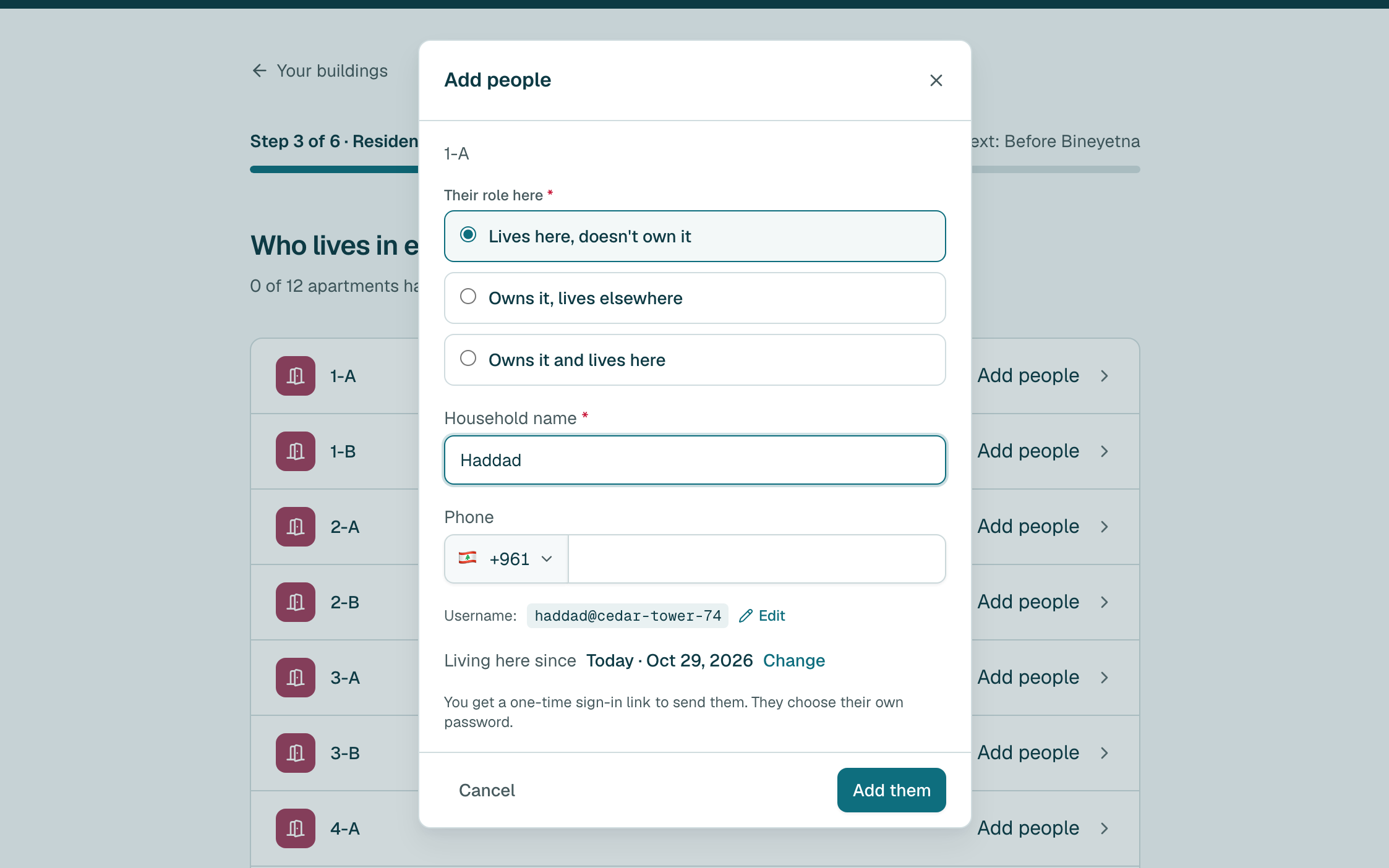
- Add the others the same way, then click Next. No list yet? Click I don't have the list yet: Continue setup on Home brings you back here when you have it.
Tip
Tip
Still stuck?
Message us on WhatsApp and we will walk you through it.